
Podcast Video Best Practices for B2B: Step-by-Step Guide
Adding video to a business podcast changes the job. You are no longer producing one audio file. You are producing a visual show, a library of clips, and a set of assets your sales and marketing teams can use. These podcast video best practices for B2B cover ten steps, from the first brief to the monthly review, using the same order we follow with B2B SaaS, AI, and tech startups & teams, venture firms, and executive-led shows.
Quick Answer
Plan the viewer and the clip strategy first. Record clean audio, a steady two-camera picture, and captions-ready speech. Edit for clarity, package for YouTube, and cut vertical clips for each platform.
Snapshot
Why Video Belongs in a B2B Podcast
Edison Research's Podcast Consumer 2026 study reports that 37% of weekly podcast consumers name YouTube as the service they use most for podcasts, up from 31% two years earlier. Radio Ink's coverage of the study adds that, for the first time in Edison Podcast Metrics, video consumption outpaced audio-only consumption. These are general US audience figures, not B2B-specific ones, so I read them as evidence that the format is mainstream, not as a promise of results for your show.
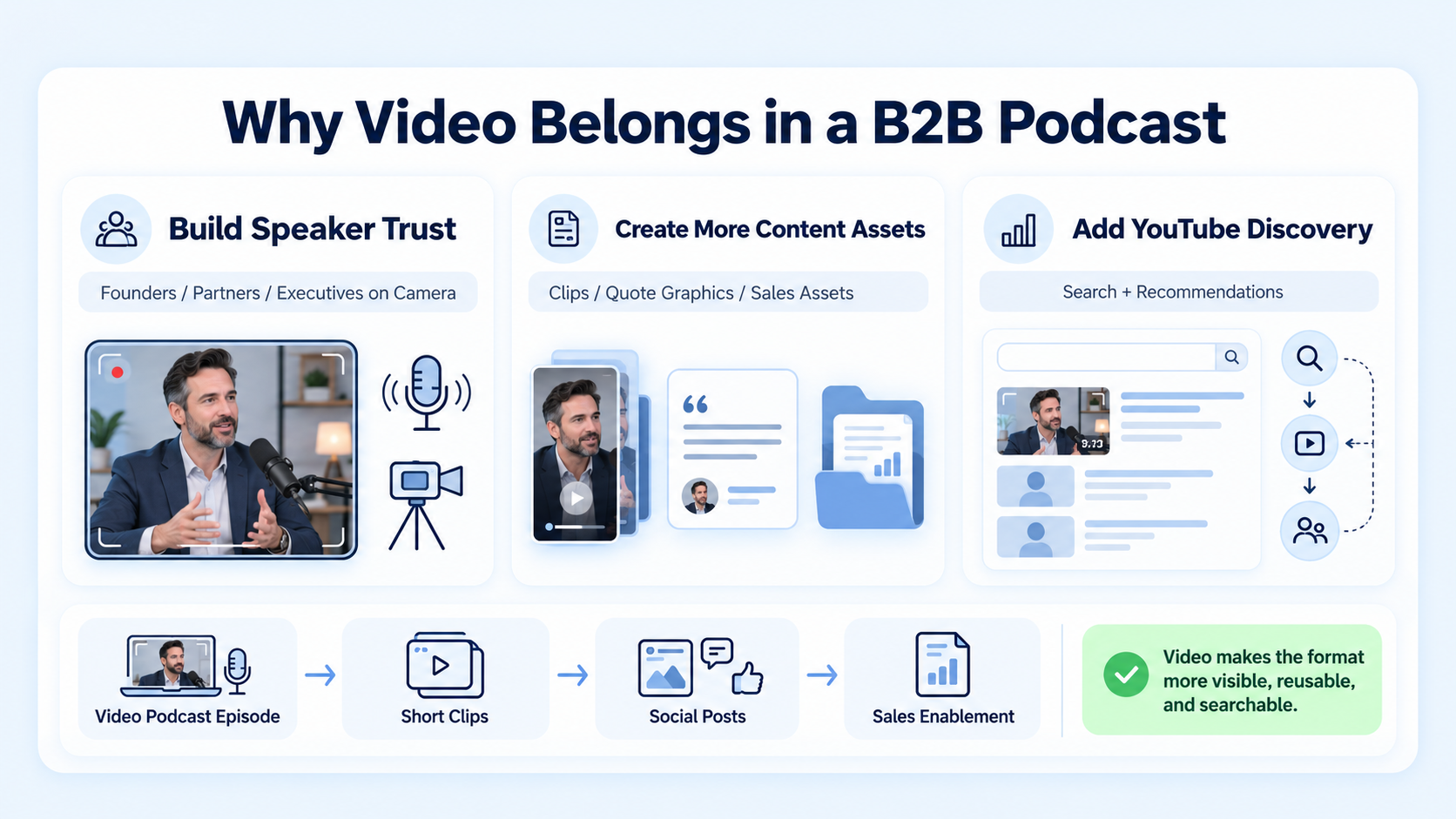
For business teams, video gives three practical advantages:
- Viewers can see who is speaking, which helps trust for founders, partners, and executives.
- You get far more raw material for clips, quote graphics, and sales assets.
- YouTube search and recommendations become additional routes to discovery.
If you want the basics of the format first, start with our explainer on what a video podcast is and our guide to starting a podcast with video.
Step 1: Define the Viewer and the Goal
I ask the same questions before every project:
- Who is the one viewer this episode is for? Use a role, not a demographic.
- What should they believe or do after watching?
- Which three moments could stand alone as clips?
The third question matters most. If you plan clips before you record, you will ask better questions. A show with a clear viewer also edits faster, because the editor knows what to protect and what to cut.
Step 2: Choose a Format and a Length
The podcast video best practices for B2B shift slightly with format, because a solo explainer needs a script while a panel needs strong moderation. Length should follow the content. Our guide on how long a podcast episode should be can help. In my experience, a tight 30-minute conversation outperforms a loose 60-minute one in both completion and clip quality.
Step 3: Prioritise Audio
Audio problems drive viewers away faster than picture problems. Use these standards:
Also record a few seconds of room tone before the guest speaks. It helps with noise cleanup later. For sound beds and intros, see our notes on sound design and music for B2B video.
Step 4: Frame the Picture Deliberately
Framing is part of your brand. Pick a standard and keep it.
Best practices for framing:
- Place the camera at eye level, not below the chin.
- Leave a little room above the head and avoid centring every shot.
- Keep the same lens distance across episodes.
- If you plan vertical clips, keep faces centred enough to crop later. Our source footage setup guide explains how.
- Use B-roll or cutaways sparingly, to cover edits or to illustrate a point.
Step 5: Light and Set the Room
You do not need a studio. You need soft, even light and a background that does not distract.
- Place a soft light at roughly 45 degrees to each speaker.
- Keep windows to the side, not behind the speaker.
- Use a simple background with one or two brand elements.
- Keep the same set layout so episodes look consistent in a playlist.
- Check how the picture looks on a television screen as well as a phone. Many weekly podcast consumers listen mostly at home, according to Edison's findings.
Step 6: Record with Backups
A good recording day looks like this:
- Test audio and picture for each speaker before the guest joins.
- Confirm the plan with the guest, including the three moments you hope to capture.
- Record the full session, and a separate local copy for each remote guest.
- Mark strong moments with a note or timestamp as they happen.
- Ask for a one-sentence takeaway at the end. It often becomes the best clip.
- Back up files before anyone leaves.
For remote guests, record their own audio and video locally if possible and sync it later. It avoids quality drops from poor connections.
Step 7: Edit for Clarity and Pace
Editing turns a conversation into a show. A clean edit removes false starts, long pauses, and tangents, without making the speakers sound artificial.
Our guide to editing podcast clips that travel covers the shorter versions, and the podcast editing agency checklist helps if you plan to outsource.
Step 8: Add Captions, Lower Thirds, and Light Graphics
Captions help silent viewing, accuracy, and comprehension. Lower thirds name guests and their roles. Light graphics highlight key terms or statistics.
- Use a legible, consistent caption style. See our guide on captions and subtitles that lift retention.
- Review auto-generated captions. Names and technical terms are often wrong.
- Build a branded lower-third and caption style once and reuse it.
- Show a source for any statistic you display.
Step 9: Package for YouTube and Cut Platform Clips
Packaging decides whether anyone clicks. A strong package includes:
YouTube's help page on three-minute Shorts confirms that square or vertical uploads of up to three minutes can be categorised as Shorts, so a clip can carry a complete idea. Use the platform table below as a starting point.
For the selection process, see our podcast-to-clips framework for B2B, the walkthroughs for Reels and Shorts, and how many clips you can get from one podcast. For audio-led promotion, an audiogram can still work.
Step 10: Review Monthly
Match metrics to the job the episode does:
Attribution will be imperfect. Use several signals and ask new contacts how they found you. Our resource on B2B podcast statistics can help you place your numbers in context.
A Realistic Production Timeline
Teams often ask how long each step takes. The table below shows a workable schedule for one episode with a partner handling edits. Adjust it to your own approval process.
Two habits keep the timeline honest. Send one set of consolidated notes instead of many small ones. Agree on approvers at the start, so nothing waits on a person who was never briefed. Our guide to running an efficient revision and feedback loop explains the approach.
Quality Benchmarks to Hold Yourself To
Before you publish, run a short quality check. I would rather ship one clean episode than three rushed ones. These podcast video best practices for B2B work as a checklist, not a rulebook.
If a standard fails, fix it before scheduling. A quick correction costs less than a public edit.
Common Mistakes
Skipping podcast video best practices for B2B usually shows up as one of these:
- Treating video as an afterthought, with a static image and audio only.
- Recording in a reverberant room and trying to fix it in editing.
- Placing cameras too low or too far, so faces look distant.
- Over-editing every pause and breath, which makes speakers sound robotic.
- Publishing episodes with no clip plan.
- Skipping caption review.
Our guide to podcast repurposing mistakes to avoid adds more examples.
Who Should Do the Work
Komet Media offers full end-to-end podcast creation from scratch, as well as podcast editing, podcast production, and B2B podcast repurposing for B2B SaaS, AI, and tech startups & teams, venture and private equity firms, and executive-led shows. Our typical retainers run around $2,500 to $5,000, depending on episode volume, number of clips, production difficulty, turnaround, and distribution needs. That is a working range, not a fixed package.
Conclusion
The podcast video best practices for B2B that matter most are simple: protect the audio, frame faces well, edit for clarity, and plan the clips before you record. Editing creates the asset. Distribution and consistency give it a chance to produce business value. If you want to talk through a production plan for your show, you can book a call.
FAQ
What are podcast video best practices for B2B?
They are the production and distribution habits that make a business podcast work on video: clean audio, deliberate framing, clear editing, captions, platform-specific clips, and measurement tied to business goals.
How much does video podcast production cost?
Cost depends on episode volume, editing complexity, clip count, and distribution support. Komet Media's typical retainers are around $2,500 to $5,000. In-house and freelance options price differently, so compare scope as well as fees.
What equipment do I need?
At minimum, a microphone per speaker, a camera or phone at 1080p, soft lighting, and a quiet room. Audio quality matters most. Upgrade only after you have recorded several episodes.
How long does it take to produce an episode?
Applying podcast video best practices for B2B adds time compared with audio alone. Allow time for recording, a first edit, one round of review, packaging, and clips. Turnaround depends on the partner and the episode, so agree service levels upfront. Our podcast editing FAQ covers typical questions.
What deliverables should I expect?
A finished video episode, audio version, captions, thumbnail, chapters, show notes, and a set of short clips. Better partners also support distribution.
Should I hire a freelancer or an agency?
A freelancer suits a single show with a clear brief. An agency suits teams that need repeatable output, backup editors, and clip distribution. See our guide on the best podcast editing services for founders.
Do small teams need video for their podcast?
Not always, but video expands reach and gives you more assets. Start simple, with good audio and a basic two-camera setup, and add polish later.
Does Komet Media produce video podcasts for B2B companies?
Yes. We launch podcasts from scratch and handle end-to-end production, editing, and repurposing for B2B SaaS, AI, and tech startups & teams, venture, and private equity teams, as well as founders and executives.

