
Repurpose a Conference Panel into Shorts: Step-by-Step Guide
To repurpose a conference panel into Shorts, treat the hour-long recording as a source of three to six self-contained moments, not as a video to shrink. Panels are loose by nature: several speakers, tangents, and audience questions. The skill is finding the moments where one speaker makes one clear point, then cutting them so they work without context. This guide gives a step-by-step workflow with tables for planning.
Quick Answer
Get permission first, then watch the full panel and mark clear single-speaker moments, edit each into a 30 to 60 second vertical clip with captions, and post with context and a link to the full session.
The Repurposing Workflow at a Glance
| Step | Action | Output |
|---|---|---|
| 1 | Confirm rights and permissions | Written clearances |
| 2 | Get the best source file | Highest-quality recording |
| 3 | Transcribe and mark moments | A shortlist of 8 to 12 |
| 4 | Score and select | Three to six final clips |
| 5 | Edit for vertical | Cropped, captioned clips |
| 6 | Add context | Speaker names, event title |
| 7 | Adapt for each platform | YouTube Shorts, Reels, LinkedIn cuts |
| 8 | Post, tag, and review | A schedule and a results log |
Why Conference Panels Are Worth Repurposing
A conference panel often holds more expertise than any single post you could write. The audience is usually relevant, the speakers have views, and the event gives the content a reason to exist. But the live audience was small and the recording often sits on a drive.
| Panel strength | How it helps as short-form |
|---|---|
| Several experts | Many different viewpoints to quote |
| Natural disagreement | Contrarian and debate clips |
| Audience questions | Ready-made question and answer clips |
| Event context | A reason to post and tag |
| Speaker audiences | Extra reach if speakers share |
See our guides on conference and event video repurposing and repurposing a panel discussion into clips. If the event is a talk rather than a panel, see repurposing a conference talk into social video.
Who This Repurposing Guide Is For
| Reader | Situation | Where to start |
|---|---|---|
| Marketing lead | Your company spoke on a panel | Steps 1 to 4 |
| Event organiser | You hold the recordings | Steps 1, 2, and 8 |
| VC or PE firm | A partner spoke at an industry event | Steps 3, 4, and 7 |
| Founder | You were a panelist | Steps 1 and 3 |
Each reader can follow the same method to repurpose a conference panel into Shorts, with different permissions to check first.
Step 1: Confirm rights and permissions
Do this first. A great clip you cannot publish is wasted work.
| Question | Why it matters |
|---|---|
| Who owns the recording? | The organiser, a vendor, or you |
| Do you have permission to edit and post it? | Event terms vary |
| Have panelists agreed to be clipped and posted? | Courtesy and, in some cases, contract |
| Are audience members visible or audible? | May need consent or blurring |
| Is any music or slide content licensed to others? | Third-party rights |
| Does the event want credit or a link? | Often expected |
- Read the event's recording terms.
- Ask panelists by email, with the clips described.
- Keep written approvals in one place.
- Remove anything a speaker asks you to remove.
These are practical steps, not legal advice. Check your own policies and contracts.
Step 2: Get the Best Source File for Editing
| Source | Quality | Note |
|---|---|---|
| Organiser's multi-camera recording | Best, if available | Ask for the isolated feeds |
| Your own camera on the stage | Good | Check audio quality |
| Audience phone recording | Weak | Avoid if possible |
| Sound desk audio feed | Useful for audio | Pair with video |
Good audio matters most. Viewers forgive soft video faster than muffled sound. Ask the organiser for the highest-quality file and the clean audio feed.
Step 3: Transcribe and Mark Panel Moments
- Generate a transcript of the full panel.
- Read it, not just watch it. A transcript makes strong lines easy to spot.
- Mark moments where a single speaker makes a clear point.
- Mark audience questions that have a complete answer.
- Note timestamps and speakers.
Look for moments with a view, a reason, and an example.
| Moment type | What to look for | Komet clip type |
|---|---|---|
| A strong opinion | A clear stance with a reason | Contrarian POV |
| A practical tip | A step the viewer can use | Educational |
| An audience question and answer | A complete exchange | Question and answer |
| A short quotable line | A sentence that stands alone | One-liner |
| A story | A short turn of events | Journey |
| A debate | Two views in tension | Controversial POV (use carefully) |
Step 4: Score and Select Short Clips
Score each candidate moment from 1 to 5 on four questions. This is my own working method, not a standard.
| Question | Score 1 | Score 5 |
|---|---|---|
| Is it clear without earlier context? | Needs setup | Stands alone |
| Is there one idea? | Several | One |
| Is it useful to the buyer? | General | Specific and practical |
| Is the audio clean? | Crosstalk | Clear single voice |
Pick the highest scorers, aiming for variety: one opinion, one tip, one question and answer, one one-liner. Avoid clips where speakers talk over each other.
Step 5: Edit Panel Content for Vertical Video
Panels are shot wide. Shorts are vertical or square, and YouTube's help page states that a video needs a square or vertical aspect ratio to be categorised as a Short, with a maximum of three minutes for standard channels on or after October 15, 2024. Check current rules before you publish.
| Edit task | Standard |
|---|---|
| Crop and reframe | Keep the speaker's face centred with space for captions |
| Opening | Start on the point, not on the moderator's introduction |
| Cuts | Remove ums, long pauses, and tangents |
| Captions | Accurate, readable, on every clip |
| Ending | Clean, not mid-sentence |
| Graphics | Speaker name and event title as a lower third |
| Audio | Level matched, noise reduced |
Wide shots with several speakers do not crop well. Where needed, cut to the speaker, or use a split screen for a short exchange. See captions and subtitles that lift retention and building a branded lower third and caption style.
Handling multi-speaker moments
Panels have crosstalk and short exchanges. Plan for them.
| Situation | Option |
|---|---|
| Two speakers disagree clearly | Use a split screen or alternate shots, keep it short |
| Speakers interrupt each other | Skip the moment, or cut before the interruption |
| The moderator's question is needed | Include a short caption of the question instead of the full audio |
| A speaker is off camera | Use a still, name card, or b-roll with captions |
| The audience asks a question | Show the question as a caption, then the answer |
This is why panels need more care than a solo talk when you repurpose a conference panel into Shorts.
Step 6: Add Context to Your Shorts
A clip from a panel lacks the setup a live audience had. Add enough for a stranger to follow.
| Context element | Example (illustrative) |
|---|---|
| Speaker name and title | A lower third |
| Event name | "From a panel at [event name]" |
| Topic of the panel | One short line |
| Link | The full session or event page |
The aim is that someone who has never heard of the event still understands the clip. That is the practical test for any plan to repurpose a conference panel into Shorts.
Step 7: Adapt Clips for Each Social Platform
| Platform | Adaptation |
|---|---|
| YouTube Shorts | Vertical or square, link to the full panel in the description |
| Instagram Reels | Vertical, captions clear of buttons, a related Story |
| Lead with the point, tag speakers and the event | |
| TikTok | A fresh cut and conversational opening |
Reels can run up to three minutes, according to Lindsey Gamble, but most panel moments need under a minute. Our comparison of Reels vs Shorts vs TikTok for B2B explains the differences.
Step 8: Post, Tag, and Review Performance
- Tag speakers and the event. It helps reach and relationships.
- Space the posts. Spread clips over several weeks.
- Reply to comments.
- Log results.
- Reuse the best clip types for the next event.
| Week | Post |
|---|---|
| Week 1 | Strongest opinion clip, tagging the speaker |
| Week 2 | A practical tip clip |
| Week 3 | Audience question and answer |
| Week 4 | A one-liner or quote graphic, plus a link to the full session |
This is a planning frame, not a promise of results. For the wider approach, see webinar repurposing into short clips, which uses the same method.
An Illustrative Panel Repurposing Plan
This is a hypothetical example, not a client story. Imagine a 50-minute panel on marketing measurement with four speakers.
| Moment | Speaker | Clip type | Length |
|---|---|---|---|
| "Why two reports can both be right" | Speaker A | Educational | About 45 seconds |
| "I would stop reporting on this metric" | Speaker B | Contrarian POV | About 30 seconds |
| Audience question on budgeting | Speaker C | Question and answer | About 50 seconds |
| A short line on attribution | Speaker D | One-liner | About 15 seconds |
Four clips, four speakers, four posts spread over a month. Each tags its speaker and the event, which helps reach.
Measuring Video Performance Results
Instagram's head, Adam Mosseri, has said that watch time, likes, and sends are top ranking signals, according to Social Media Today.
| Goal | Metrics | Note |
|---|---|---|
| Attention | Views, watch time, completion | Compare clips of the same type |
| Interest | Shares, saves, comments | Shares show usefulness |
| Relationships | Speaker reshares, new follows from event contacts | Worth tracking |
| Intent | Link clicks to the full session | Use tracked links |
| Sales | Conversations that mention the event or clips | Ask new leads |
Attribution is imperfect. Use several signals and review after the campaign.
Common Panel Repurposing Mistakes
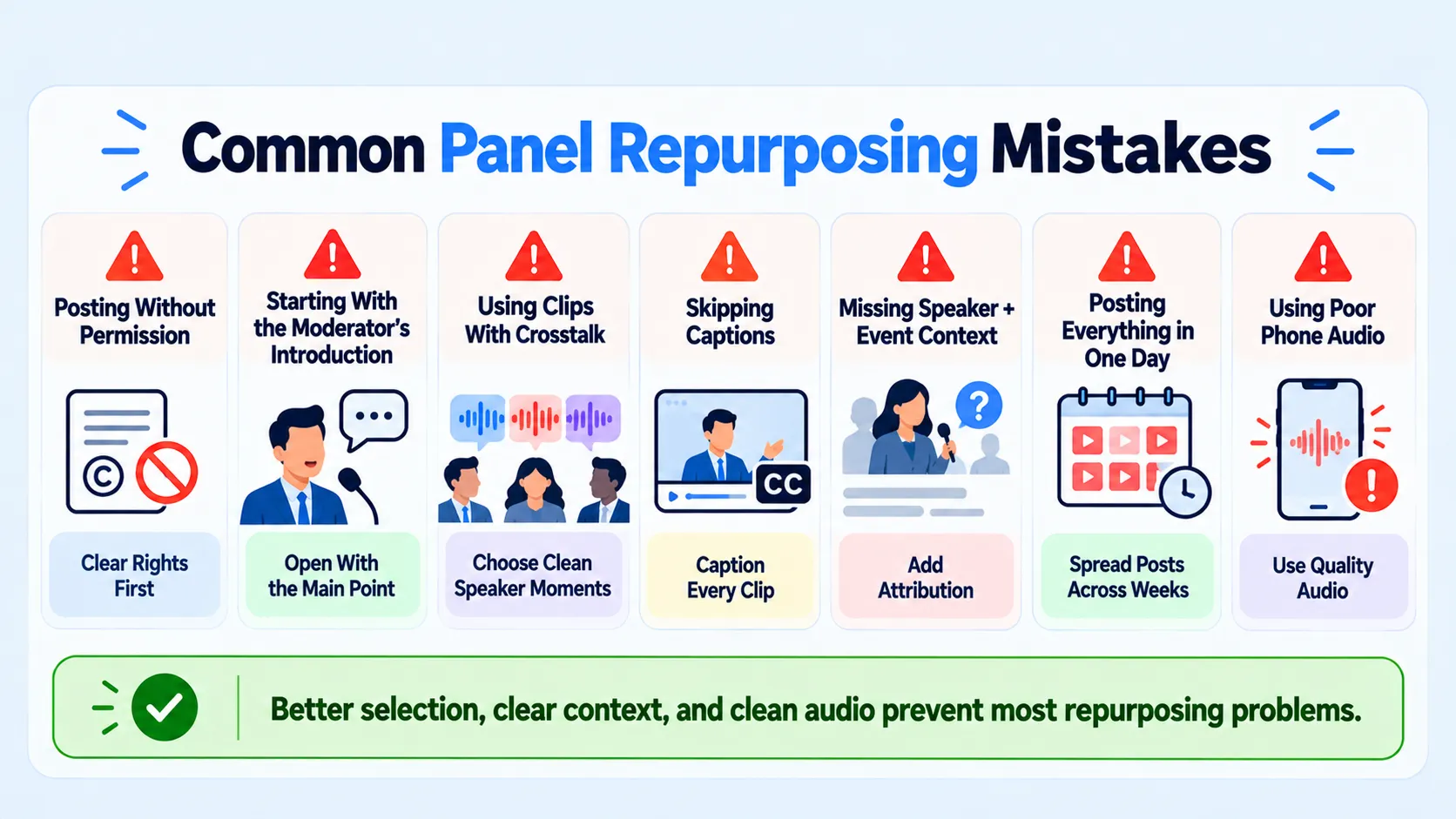
- Posting without permission.
- Starting clips with the moderator's introduction.
- Choosing clips with crosstalk.
- Skipping captions.
- Leaving out the speaker's name and event.
- Posting everything in one day.
- Using poor audio from a phone recording.
Who Does the Editing Work
| Option | Strength | Trade-off |
|---|---|---|
| In-house | Knows the event and speakers | Limited editing time |
| Freelance editor | Flexible edits | You manage selection and posting |
| Partner | Selection, editing, and distribution together | Needs a clear brief and approvals |
Komet Media offers full end-to-end video production from scratch as well as short-form video editing and repurposing. Our Instagram growth service follows five steps.
- Research and strategy.
- Scripting.
- Recording.
- Editing.
- Distribution.
If you want to repurpose a conference panel into Shorts as part of a wider programme, the Instagram growth service covers distribution. Editing creates the asset. Distribution gives the asset a chance to produce business value. Komet Media's typical retainers run around $2,500 to $5,000, depending on scope, volume, production difficulty, turnaround, and distribution needs. That is a working range, not a fixed package.
A Short Repurposing Checklist
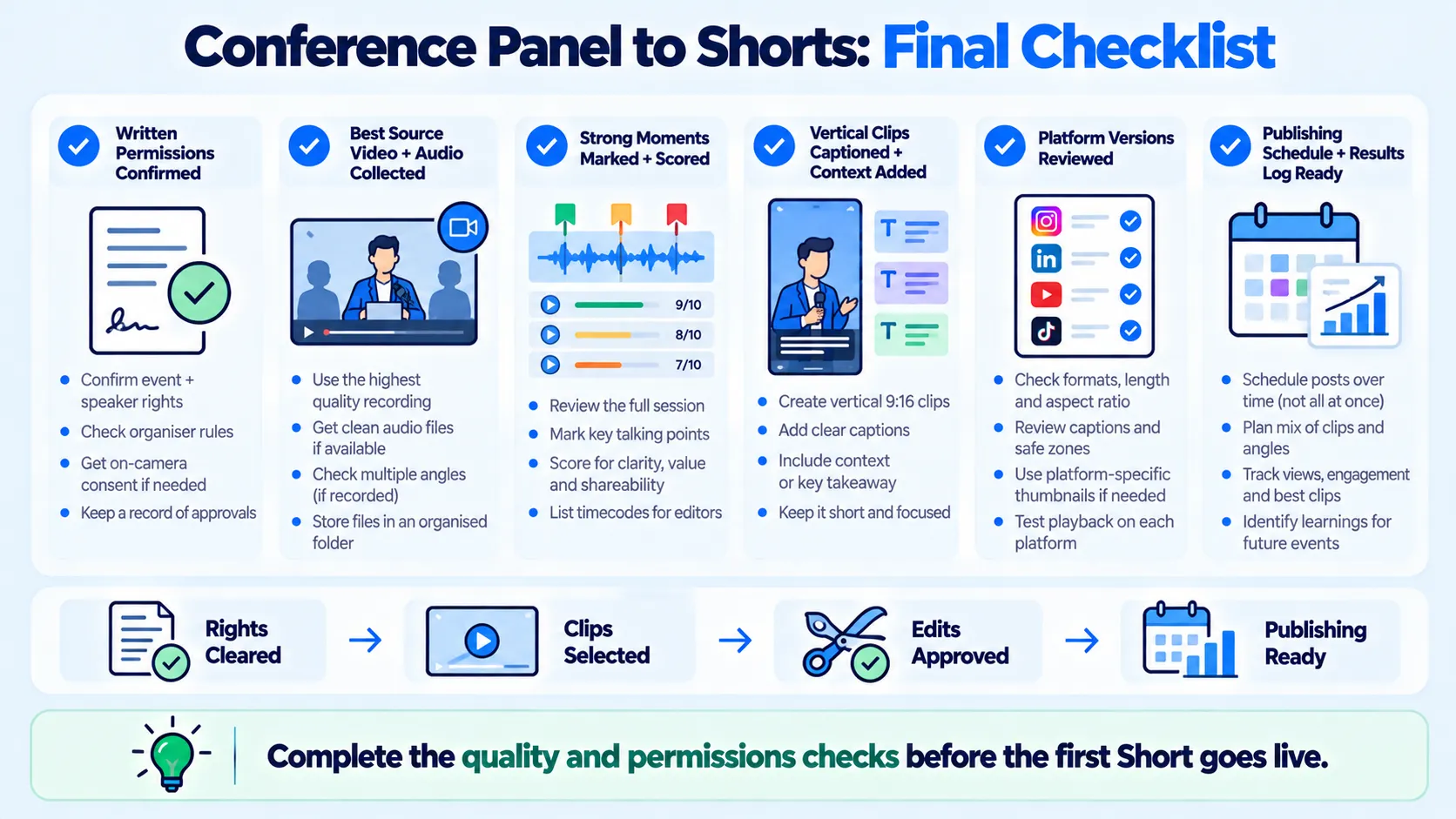
- Permissions are in writing.
- You have the best source file and clean audio.
- Moments are marked and scored.
- Clips are vertical, captioned, and have context.
- Each platform version is checked.
- A posting schedule and results log exist, which is the last part of how you repurpose a conference panel into Shorts.
Conclusion
When you repurpose a conference panel into Shorts, the work is mostly selection and context. Get permission, find the moments that stand alone, edit them tightly, and tell viewers where they came from. If you want help with the clips and distribution, you can book a call.
Frequently Asked Questions
How do you repurpose a conference panel into Shorts?
Confirm permissions, transcribe the panel, select self-contained moments, edit them as vertical captioned clips with context, adapt for each platform, and post on a schedule.
How much does it cost?
It depends on scope and number of clips. Komet Media's typical retainers run around $2,500 to $5,000, depending on scope, volume, production difficulty, turnaround, and distribution needs. That is a working range, not a fixed package. See B2B video editing pricing models.
How does the process work?
Rights check, source file, transcript and moment selection, scoring, vertical edit, context, platform adaptation, posting, and review.
How long does it take?
It depends on the length of the panel and the number of clips. Allow time for permissions, which can be the slowest part.
What deliverables should I expect?
Typically three to six captioned vertical clips, plus platform-ready exports. Scope varies by plan.
Should I use a freelancer or an agency?
A freelancer suits teams that handle selection and posting. An agency suits teams that want selection, editing, and distribution handled together. See freelance editor vs agency.
Is a panel always worth repurposing?
No. Panels with crosstalk, weak audio, or generic answers may not yield good clips.
Does Komet Media repurpose conference panels?
Yes. We produce original content from scratch and also edit and distribute repurposed clips from panels, talks, and webinars for B2B teams. See our short-form video FAQ.

