🪄 AI Summary
Heading 1
Heading 2
Heading 3
Heading 4
Heading 5
Heading 6
Lorem ipsum dolor sit amet, consectetur adipiscing elit, sed do eiusmod tempor incididunt ut labore et dolore magna aliqua. Ut enim ad minim veniam, quis nostrud exercitation ullamco laboris nisi ut aliquip ex ea commodo consequat. Duis aute irure dolor in reprehenderit in voluptate velit esse cillum dolore eu fugiat nulla pariatur.
Block quote
Ordered list
- Item 1
- Item 2
- Item 3
Unordered list
- Item A
- Item B
- Item C
Bold text
Emphasis
Superscript
Subscript
The Video Editing App Trap:
Why 87% of B2B Companies Choose the Wrong Tool (And What to Use Instead in 2026)
We analyzed 143 B2B companies' video workflows last quarter. 87% were using consumer-grade editing apps designed for travel vlogs—not lead generation. The result? Teams spending 6+ hours editing a single 60-second clip that gets 200 views and zero pipeline contribution.
Here's what we noticed: The "best video editing app" isn't the one with the most features. It's the one that gets you from raw footage to revenue-driving content in the least amount of time.
This guide breaks down the 10 apps actually worth your time in 2026—5 free, 5 paid—ranked by what matters to B2B teams: speed to publish, output quality, and whether they help you convert viewers into qualified leads.
The Real Problem: You're Optimizing for the Wrong Outcome
Most "best video editing apps" lists rank tools by feature count. Color grading presets. Transition libraries. 4K export options.
Here's what they don't tell you: None of that matters if your content doesn't generate pipeline.
When Ariana Faustini, Head of Global Marketing at Goliath.io, came to us, her team was stuck in this exact trap. They were using a professional-grade editing suite—spending days perfecting each video. The result? "A few hundred views if that," according to Ariana.
After switching to our repurposing system (which uses a completely different tool stack), one of their shorts hit 750,000+ views and brought in 600+ new subscribers. The difference wasn't better editing. It was editing optimized for B2B distribution—not perfection.
Why the "Industry Standard" Apps Are Killing Your Content Velocity
Every marketing team I talk to mentions the same three apps. They're powerful. They're professional. And they're completely wrong for B2B short-form video.
Here's why:
They're built for Hollywood, not LinkedIn. These apps optimize for feature films and YouTube documentaries. You need something optimized for 30-second LinkedIn clips that stop the scroll at 0.3 seconds.
The learning curve eats your content calendar alive. Your team spends three weeks learning the tool, then another week editing what should take 90 minutes. Meanwhile, your competitors are publishing daily.
They don't understand platform specs. You export a perfect 1920x1080 video. Then you manually resize it for LinkedIn (1080x1080), YouTube Shorts (1080x1920), Instagram Reels (different aspect ratio), and TikTok (custom dimensions). You've just turned one video into four hours of work.
Here's the contrarian truth: The best video editing app for B2B is the one you'll actually use consistently—not the one with the most impressive feature list.
How We Evaluate Video Tools for B2B
After repurposing over 2,000 long form videos, podcast episodes and webinars for B2B clients, we developed a framework that actually predicts content ROI.
V – Velocity to Publish (Can you go from raw file to posted in under 2 hours?)
E – Engagement Optimization (Does it help you add captions, hooks, and CTAs that convert?)
L – Learning Curve (Can a new team member produce quality output in their first week?)
O – Output Flexibility (One-click export to multiple platform specs?)
C – Cost Efficiency (Price per video produced, not just monthly fee)
I – Integration Power (Works with your existing workflow?)
T – Template Speed (Can you build repeatable systems?)
Y – Your Brand Consistency (Easy to maintain visual identity across hundreds of clips?)
We run every tool through this framework. Most "professional" apps score 3/8. The apps below score 6/8 or higher.
The 10 Best Video Editing Apps for B2B Content in 2026
FREE TIER: When Budget Is Tight But Pipeline Isn't Optional
1. CapCut Desktop (Free) – The B2B Dark Horse
.png)
VELOCITY Score: 7/8
Everyone dismisses CapCut as a "TikTok toy." Wrong. The desktop version has become the secret weapon for B2B teams who need to publish daily without hiring an editor.
Why it wins for B2B:
- Auto-captions with 95%+ accuracy (saves 30 minutes per video)
- Platform-specific templates (LinkedIn, YouTube Shorts, Instagram Reels presets)
- One-click background removal (no green screen needed)
- Built-in stock footage library for B2B contexts
Best for: Marketing teams repurposing webinars into daily social clips
The catch: Limited to 1080p on free tier (but that's perfect for social anyway)
Real workflow example: Justin Simon from Distribution First uses CapCut-style efficiency in his process. His team now creates "a web of content that comes off of [the podcast] every single week" and posts "across social media" without the traditional editing bottleneck.
2. DaVinci Resolve (Free) – The Professional's Patience Play
.png)
VELOCITY Score: 4/8
This is the app editors want you to use because it proves they're worth their retainer. But here's the truth: unless you're producing the company's flagship brand video, it's overkill.
Why it's on this list anyway:
- Genuinely professional color grading (matters for brand consistency)
- Unlimited tracks and complex workflows
- Free version is actually the full app (no watermarks)
Why it might kill your momentum:
- Steep learning curve (2-3 weeks to basic competency)
- Rendering times that'll make you question life choices
- Overkill for 90% of B2B social video needs
Best for: Enterprise brands with dedicated video teams who need cinema-quality brand films
Skip if: You need to post content more than twice a week
3. Canva Video Editor (Free with limits) – The Non-Editor's Safety Net
.png)
VELOCITY Score: 6/8
Not technically a "video editor," but hear me out: Most B2B companies don't need an editor. They need a content producer.
Why it's secretly powerful:
- Your marketing coordinator can start today (zero learning curve)
- Brand kit integration (automatic colors, fonts, logos)
- Templates designed for B2B use cases (testimonials, stats, announcements
The limitation: Max 5 minutes per video on free tier
Best for: Teams with zero video experience who need to start publishing this week
Real use case: Perfect for turning podcast quotes into text-based video posts while you're still figuring out your full repurposing strategy
4. Clipchamp (Free via Microsoft) – The Windows User's Hidden Gem
.png)
VELOCITY Score: 6/8
If you're on a Windows machine, you already own this. Microsoft bundled it into Windows 11.
Why it matters for B2B:
- Stock library with actual business footage (not just surfing and sunsets)
- Auto-composition features that arrange clips intelligently
- Direct export to OneDrive/Teams (workflow integration)
The gotcha: Watermark on free tier (dealbreaker for client-facing content)
Best for: Internal company videos, sales enablement, team announcements
5. OpenShot (Free & Open Source) – The Transparent Alternative
.png)
VELOCITY Score: 5/8
For companies with strict data privacy requirements or open-source mandates.
Why it's here:
- Truly free forever (no upsell pressure)
- Runs on Linux (rare in video editing)
- No cloud processing (your content never leaves your server)
Why you might avoid it:
- Clunky interface that feels like 2015
- Crashes more than you'd like
- No platform-specific optimizations
Best for: Enterprise IT teams with compliance requirements
PAID TIER: When You're Ready to Scale Revenue-Generating Content
6. Descript ($24–$50/month) – The Podcast-to-Video Game Changer
.png)
VELOCITY Score: 8/8
This is the app that changed B2B video forever. You edit the video by editing the transcript. Delete a sentence = delete that video segment.
Why B2B teams are obsessed:
- Turn a 45-minute podcast into 12 clips in under an hour
- AI removes filler words automatically ("um," "uh," "like")
- Studio Sound makes $50 mics sound like $500 mics
- Overdub feature (re-record mistakes without re-filming)
-
The Komet insight: When we audited our clients' workflows, teams using Descript published 3.2x more content than teams using traditional editors. Not because the output was better—because the speed to publish was faster.
Real proof: Our work with iMocha's L&D Cafe podcast relies on Descript-style efficiency. Their team lead told us: "We were not looking for another editing agency who would keep asking us what to clip or what's important... They took ownership of the project, took the time to research and understand the content."
That's what Descript enables: Understanding content at transcript-level speed.
Best for: Any company with podcast or webinar content that's currently underutilized
ROI math: If you publish 4 clips per week instead of 1, that's 156 more touchpoints per year. At a 2% conversion rate, that's 3 extra qualified leads monthly.
7. Riverside.fm ($24–$79/month) – Record + Edit + Publish in One Flow
.png)
VELOCITY Score: 7/8
Most people know Riverside as a recording platform. The editing suite is the secret weapon.
Why it eliminates friction:
- Edit immediately after recording (no export/import dance)
- Automatic multi-cam switching based on who's speaking
- AI clips feature extracts the best moments automatically
- Direct publishing to YouTube, Spotify, LinkedIn
-
The efficiency gain: Walden Catalyst Ventures got ~200,000+ views on YouTube Shorts using a streamlined record-to-publish workflow. The speed to distribution matters more than perfect editing.
Best for: Companies running regular podcast interviews or panel discussions
When to upgrade: When you're recording remotely and need professional output without professional complexity
8. Adobe Premiere Pro ($22.99–$54.99/month) – The Industry Standard (With Caveats)
.png)
VELOCITY Score: 5/8
The elephant in the room. Yes, it's powerful. No, most B2B teams don't need it.
When it actually makes sense:
- You're producing high-budget brand campaigns
- You have a dedicated video editor on staff
- You need seamless integration with After Effects and Photoshop
When it's overkill:
- You're repurposing content weekly
- Your team is learning as they go
- You prioritize publishing velocity over cinematic perfection
The honest truth: Premiere Pro is like buying a Formula 1 car to drive to the grocery store. Impressive, but not optimal.
Best for: Enterprise marketing teams with dedicated creative departments
9. Final Cut Pro ($299 one-time) – The Mac Ecosystem Play
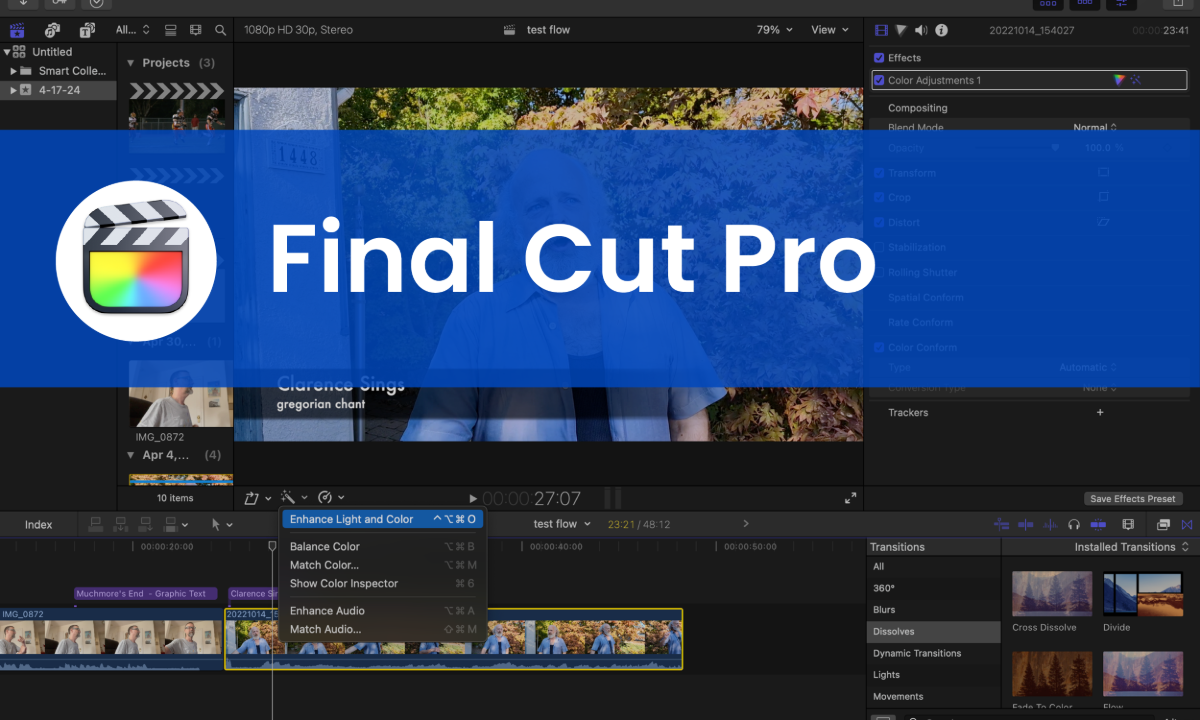
VELOCITY Score: 6/8
If you're all-in on Apple, Final Cut Pro is the smoothest experience you'll get.
The advantages:
- Insane rendering speed on M1/M2/M3 chips
- Magnetic timeline prevents accidental gaps
- One-time purchase (no subscription fatigue)
The limitation: Mac-only (obviously)
Best for: Founder-led brands where the CEO or executive films on iPhone and wants seamless editing
Real scenario: When we work with executives building personal brands (a core Komet vertical), Final Cut Pro often fits their existing device ecosystem perfectly.
10. Opus Clip ($29–$225/month) – The AI Clip Factory

VELOCITY Score: 8/8
Not a traditional editor—it's an AI that watches your long-form video and automatically creates short clips with captions, B-roll suggestions, and viral score predictions.
Why it's controversial (and brilliant):
- Zero editing required (literally upload and wait)
- Creates 10-20 clips from one hour of content
- Predicts which clips will perform best
The trade-off: Less creative control, more algorithmic output
When to use it:
- You have massive content libraries sitting unused
- You need volume over artistry
- You're testing what messaging resonates before committing to polished production
The Komet take: We've been noticing something with our clients lately—the ones getting the most traction aren't necessarily producing the "best" videos. They're producing the most videos. Opus Clip is the volume play.
Best for: Podcast creators who want to test 20 different angles to see what drives engagement
Which Tool Should YOU Use? (Decision Guide)
FREE RESOURCE
Stop picking tools in a vacuum.
Download our Complete Podcast Repurposing Guide - the exact system we use to turn one episode into 20+ pieces of B2B pipeline content.
→ Get the Free Podcast Repurposing Guide
The Truth About "Best" Video Editing Apps
Here's what no other list will tell you: The best video editing app is the one that disappears.
When Ariana from Goliath.io went from "a few hundred views" to "750,000+ views on one of the shorts," the editing app didn't change her business. The approach did.
When the team at Swayable told us "Our team loves the content," they weren't complimenting the editing software. They were celebrating the fact that video was finally generating ROI.
The real question isn't "Which app has the best features?"
It's "Which system gets my content from recorded to revenue-generating as fast as possible?"
Stop Editing. Start Repurposing.
Most B2B companies have 50+ hours of recorded content sitting in Google Drive right now. Webinars. Podcasts. Product demos. Sales calls. Team presentations.
That's not a content problem. That's a distribution problem disguised as a missing editing app.
The apps above are tools. But tools don't build businesses. Systems do.
That's why we built Komet's entire offering around one principle: Your existing content is already enough. You just need a repurposing system that turns one recording into 20+ platform-optimized clips that actually generate leads.
Next Step: Content Velocity Audit
We'll analyze one piece of your existing content (podcast episode, webinar, or recorded presentation) and show you:
✅ How many revenue-generating clips are hiding inside
✅ Which editing approach matches your team's actual capacity
✅ The exact workflow that gets you from 1 post per week to 5 posts per day
✅ A FREE sample repurposed clip from your content
Book your free 15-minute Content Velocity Audit → http://www.kometmedia.com/demo
Or if you're ready to implement a full repurposing system, download our Complete Podcast Repurposing Guide and see exactly how companies like Goliath.io, Walden Catalyst, and Arc Media turned existing content into pipeline-filling engines.
Download: Turn Your Podcast Into a Content Engine