🪄 AI Summary
Heading 1
Heading 2
Heading 3
Heading 4
Heading 5
Heading 6
Lorem ipsum dolor sit amet, consectetur adipiscing elit, sed do eiusmod tempor incididunt ut labore et dolore magna aliqua. Ut enim ad minim veniam, quis nostrud exercitation ullamco laboris nisi ut aliquip ex ea commodo consequat. Duis aute irure dolor in reprehenderit in voluptate velit esse cillum dolore eu fugiat nulla pariatur.
Block quote
Ordered list
- Item 1
- Item 2
- Item 3
Unordered list
- Item A
- Item B
- Item C
Bold text
Emphasis
Superscript
Subscript
What is Google Flow AI?
Google Flow AI is a generative AI video creation platform developed by Google DeepMind, built on the powerful Veo 2 video generation model. It allows users to create high-quality, cinematic AI avatar videos using simple text prompts or reference images - no filming, no editing software, and no technical skills required.
As AI video tools become mainstream these days, Google Flow stands out for its photorealistic output quality, intuitive interface, and deep integration with the Google ecosystem. Whether you are a content creator, digital marketer, online educator, or small business owner, Google Flow AI can help you produce professional-looking avatar videos in minutes.
Who is Google Flow AI best for?
- YouTube and social media content creators
- Busy Founders, CMOs, VCs or C-suite Executives
- Digital marketers and brand managers
- Online educators and course creators
- Small businesses creating product or explainer videos
- Developers and AI enthusiasts exploring generative video
What is an AI Avatar Video?
An AI avatar video is a computer-generated video featuring a realistic human-like character or avatar that appears to speak, move, and present content. Unlike traditional video production, AI avatar videos require no on-camera talent, no studio, and no professional equipment. They are widely used for explainer videos, corporate training, social media content, and marketing campaigns.
Google Flow AI generates these avatars using advanced diffusion-based video models, producing results that are increasingly indistinguishable from real filmed footage.
Step-by-Step: Creating Your AI Avatar Video
Step 1 - Access Google Flow AI
Go to flow.google.com and sign in with your Google account. Google Flow is available via Google Labs — you may need to join the waitlist if it's not yet in your region. Google One AI Premium subscribers get priority access.

Step 2 - Start a New Project
Click on New 'Project'.
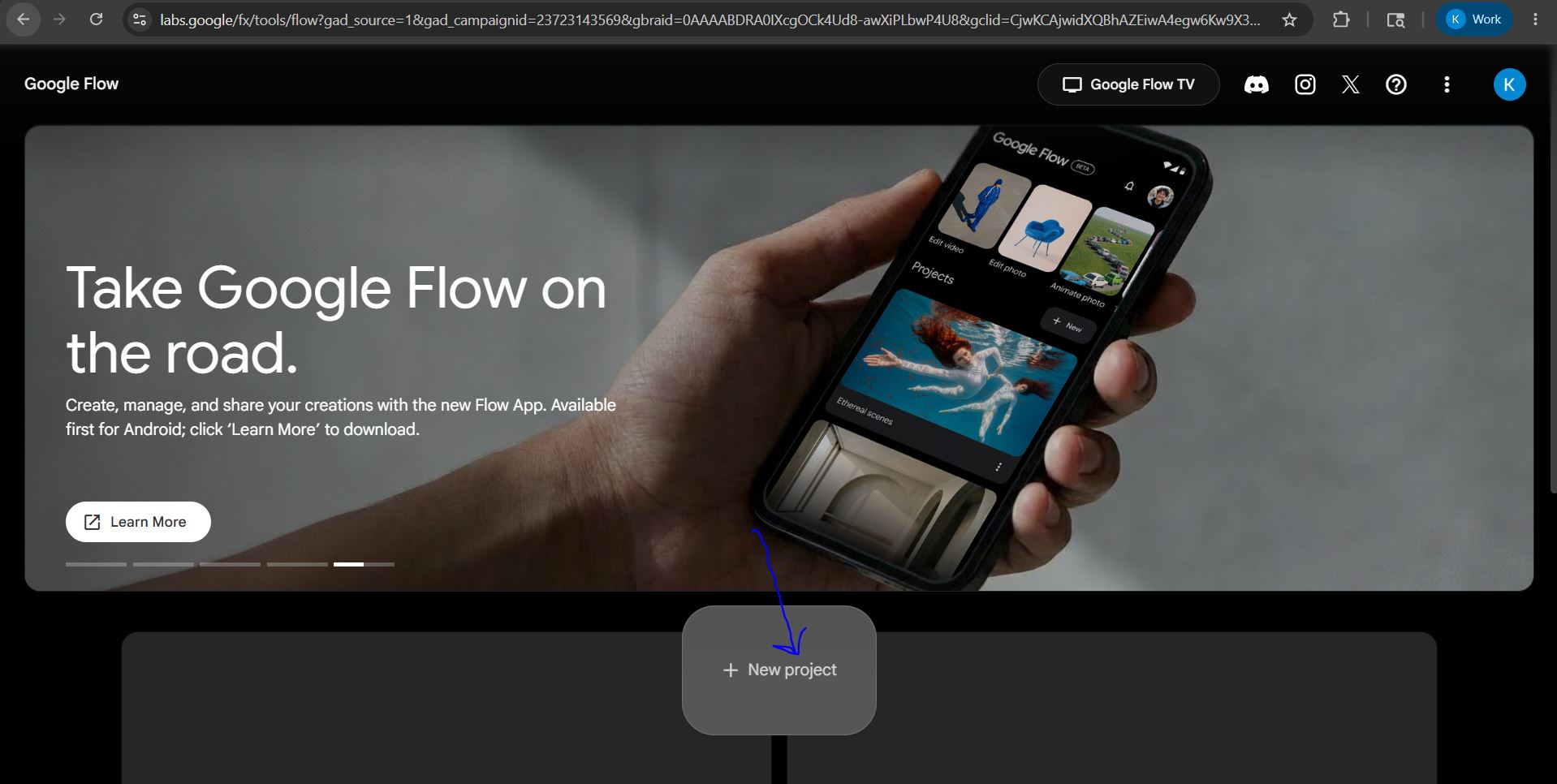
You'll enter the video generation workspace where you can add media files, set up your scene, choose your input method, and configure settings like aspect ratio and video length.

Click on + sign in the prompt field shown at the bottom of the interface and then upload you media - Photos or Videos.
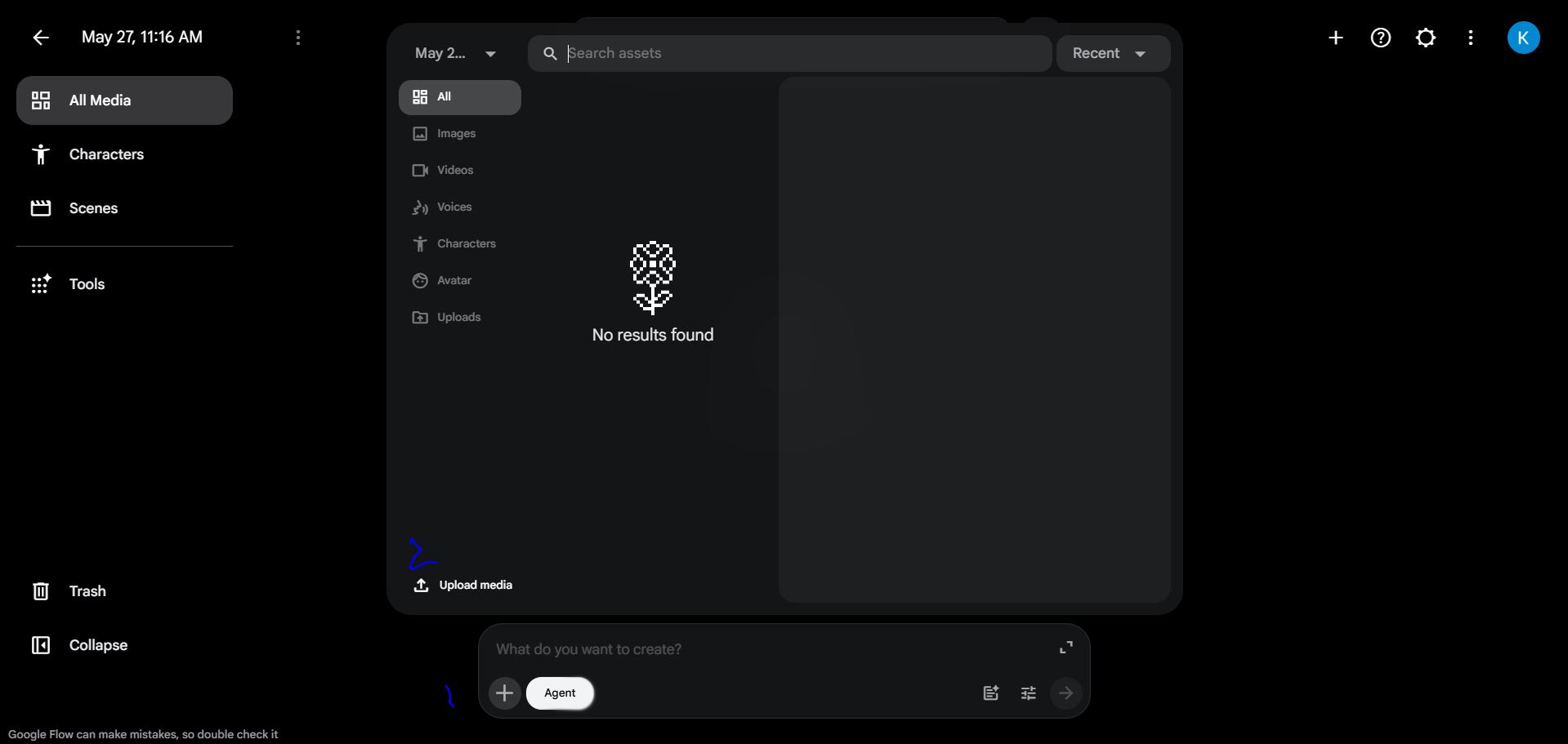
Step 3 - Drag Image to the Prompt field and Write Your Avatar Prompt
Describe the avatar and scene in detail - appearance, clothing, setting, and action.
Example: Vertical 9:16 smartphone-shot video, native User-Generated Content (UGC) style. The person is standing in a [Setting: e.g., brightly lit home office with a blurred whiteboard in the background]. They are holding a [Specific Product Description: e.g., sleek matte black supplement bottle with a minimalist white label] up to the camera. The camera has a slight, natural handheld shake for authenticity. Soft window lighting illuminates the subject's face. The subject is looking directly into the lens, gesturing naturally with their free hand while presenting the product with high energy.
Audio Prompt: > "[Insert your 3-5 second hook here, e.g., 'You have to see how much time this saves me every single day.']" The person has a [ex medium deep] voice with a [country] accent.
More detail = better results.
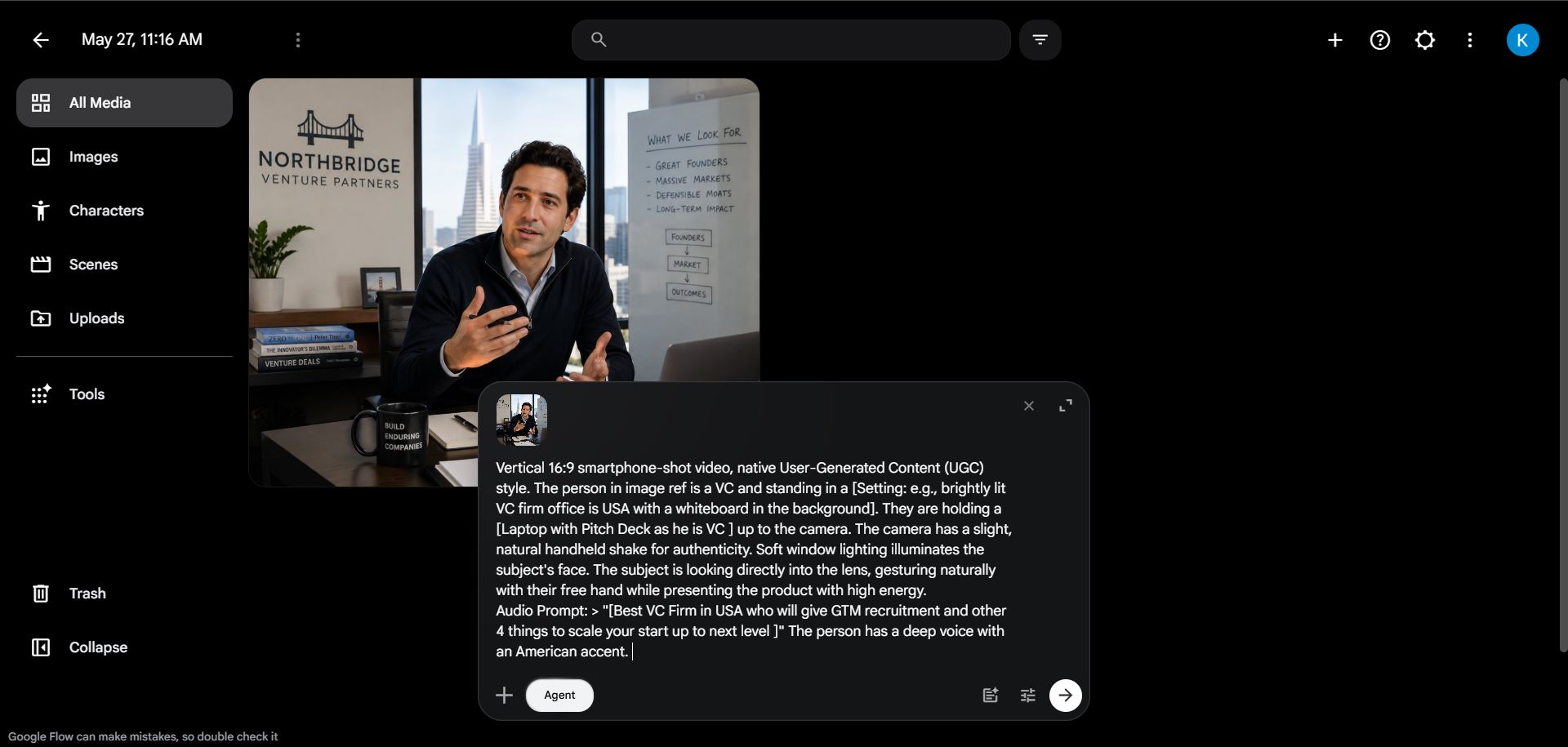
Step 4 - Generate the Video Click on side arrow in the prompt field and wait 30–90 seconds. You'll get 1-2 variations to preview. Pick the best one, or tweak your prompt and regenerate for better results.
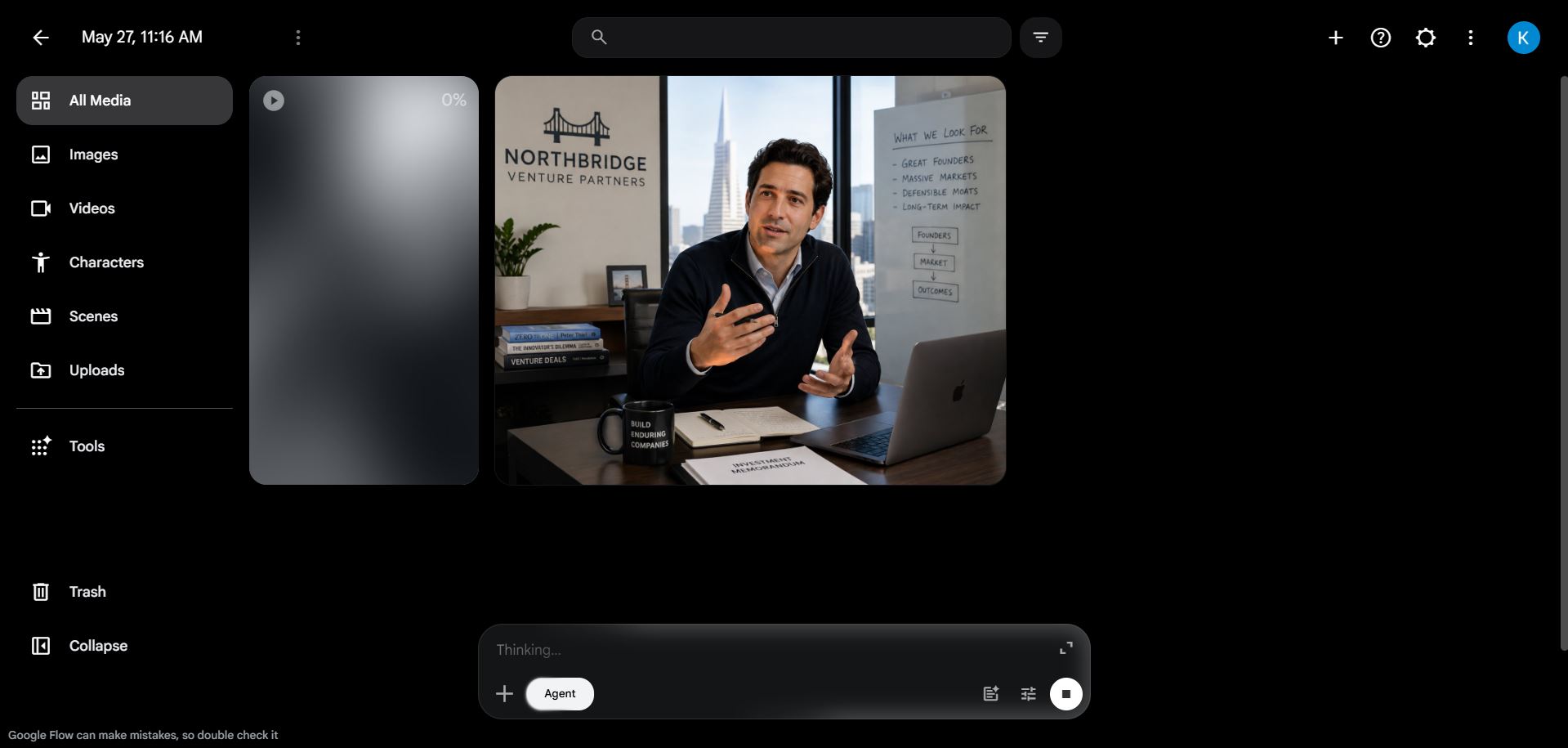
Step 5 - Extend & Edit Your Scene Use the scene extension feature to continue the video or add new scenes. Stitch multiple clips together in the built-in timeline editor to create a longer narrative. Here, I have only generated 10 second video to show you an example.
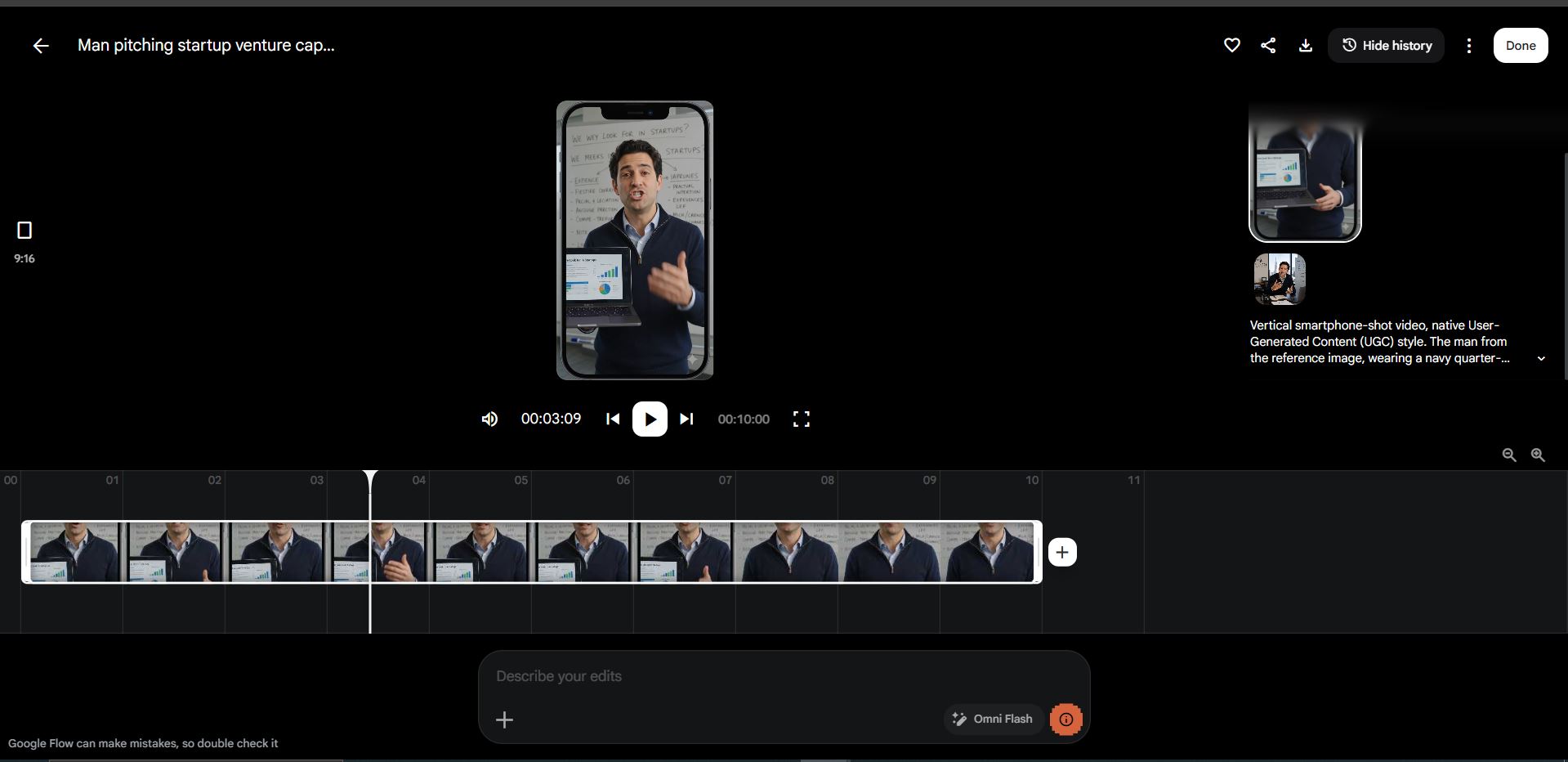
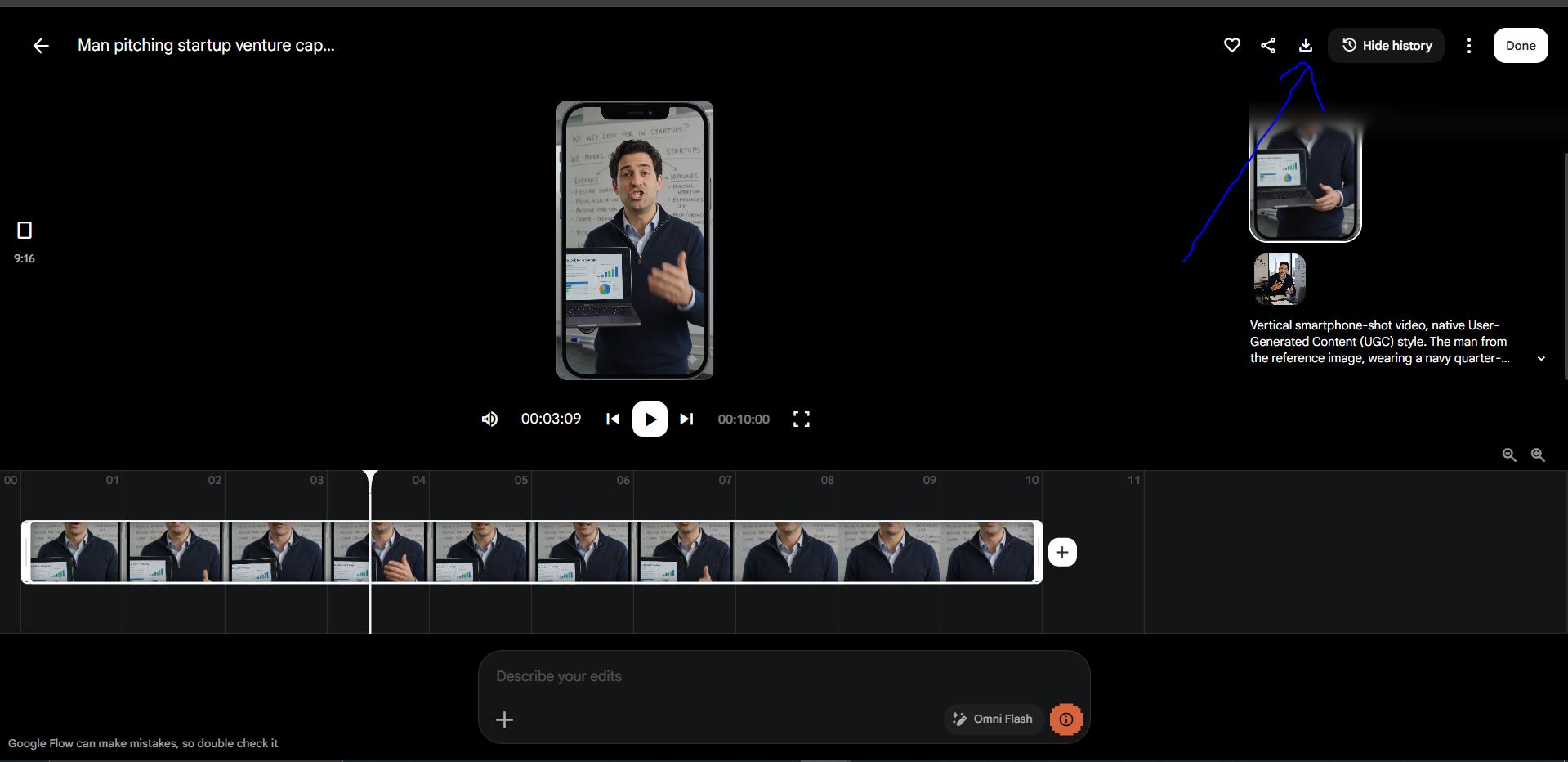
Step 6 - Export & Download Click "Download Arrow" as shown in image below to download your video in MP4 format (up to 1080p). Share it on YouTube, LinkedIn, Instagram, or embed it in presentations.
Pro Tips to Get Better AI Avatar Videos
- Use short clips — keep each clip under 8 seconds for maximum quality, then stitch in a timeline editor
- Iterate fast — generate 3–4 variations per scene and pick the best frames
- Match platform formats — always set the correct aspect ratio before generating
- Build a prompt library — save prompts that work well so you can reuse them
- Layer B-roll — combine avatar clips with product shots or screen recordings for richer videos
- Stay consistent — use the same reference image and similar prompts across scenes for a uniform avatar appearance
Too Busy to Shoot Videos?
Let's be honest, you have a business to run. You don't have time to book a studio, hire a videographer, write scripts, manage edits, and wait weeks for final delivery. And you definitely don't have time to figure out every AI tool on your own.
That's exactly why we exist.
We use cutting-edge AI video tools, including Google Flow AI to create professional avatar videos, brand content, and social media videos for businesses like yours. Fast, affordable, and without you ever stepping in front of a camera.
What we handle for you:
- AI avatar video creation and scripting
- Voiceover production and audio sync
- Platform-optimised exports (YouTube, Reels, LinkedIn, Ads)
- End-to-end video content strategy
If you've been putting off video content because you're too busy - this is your sign.
Book A Demo Call Now
See exactly how we can produce AI videos for you and/or your brand.