
Repurpose a Town Hall into an Internal Highlight Reel: Step-by-Step Guide
When you repurpose a town hall into an internal highlight reel, the aim is not a shorter recording. It is a version that busy employees will actually watch: the decisions that affect them, the points leaders want remembered, and the answers to the questions people asked. A good highlight reel respects both time and confidentiality. Beyond content repurposing, Komet Media also provides end-to-end services from scratch, including building full video content systems, scripting, and production support, to help teams create consistent video from the ground up. This guide gives a step-by-step workflow with tables for planning.
Quick Overview: Repurposing Town Halls into Internal Highlight Reels
Decide who the reel is for, check confidentiality, select the moments that matter, structure them in three to five minutes with captions, and share it through the channels staff already use. Ask for feedback.
The Town Hall Repurposing Workflow at a Glance
| Step | Action | Output |
|---|---|---|
| 1 | Define audience and purpose | One sentence |
| 2 | Check confidentiality and consent | Cleared and flagged content |
| 3 | Get the source and a transcript | Full recording, transcript |
| 4 | Mark and score moments | A shortlist |
| 5 | Structure the reel | A running order |
| 6 | Edit with captions and graphics | A draft reel |
| 7 | Review and approve | A signed-off version |
| 8 | Distribute and gather feedback | Shared reel and a feedback loop |
Why Creating an Internal Highlight Reel Is Worth It
Town halls are often long. Many employees attend live, some join late, and others miss them. A reel gives a clear record in a fraction of the time and can reach people who could not attend.
| Benefit | How the reel helps |
|---|---|
| Clarity | The key points, stated once |
| Access | Staff in other time zones or on shifts can watch |
| Memory | A reference people can return to |
| Alignment | Everyone sees the same message |
| New joiners | A snapshot of what leadership said |
This is internal communication, so the audience, tone, and risks differ from a public post. See our guides on editing webinars into highlight reels and repurposing a webinar into a highlight reel for the shared editing method.
Who This Town Hall Repurposing Guide Is For
| Reader | Situation | Where to start |
|---|---|---|
| Internal communications lead | Owns the town hall and its follow-up | Steps 1, 2, and 8 |
| Chief of staff | Needs a clear summary for leadership | Steps 4 and 5 |
| HR or People lead | Wants a message that reaches all staff | Steps 2 and 8 |
| Founder of a small company | Runs the town hall and wants a record | Steps 3 to 6 |
All of them can use the same method to repurpose a town hall into an internal highlight reel, with different confidentiality concerns.
Step 1: Define the Highlight Reel Audience and Purpose
Write one sentence: "This reel helps [group of employees] understand [decision or message]."
| Audience | What they need | Reel focus |
|---|---|---|
| All staff | The company's direction and key changes | Priorities, decisions, next steps |
| Managers | What to tell their teams | Talking points and answers to likely questions |
| New joiners | Context and culture | Mission, values, current priorities |
| Remote or shift teams | The same message as live attendees | Clear, captioned summary |
If you cannot name the audience, the reel will try to cover everything and help no one.
Step 2: Check Confidentiality and Consent Before Editing
An internal reel is not automatically safe to share widely. Check before you edit.
| Content | Risk | Action |
|---|---|---|
| Financial or strategic details | May be restricted | Confirm with leadership before including |
| Personnel matters | Sensitive | Leave out unless cleared |
| Customer or partner names | Contractual limits | Confirm permission |
| Questions from named staff | Privacy | Ask permission, or paraphrase on screen |
| Legal or regulatory topics | Accuracy matters | Have them reviewed |
| Anything shared in confidence | Trust | Leave out |
- Ask the town hall owner what must not be repeated.
- Mark restricted sections in the transcript.
- Get approval before circulating.
- Decide whether the reel stays internal or may be shared more widely.
These are practical steps, not legal advice. Check your own policies. A reel shared further than intended can cause real harm.
Step 3: Gather the Town Hall Recording and Transcript
| Source | Note |
|---|---|
| Original recording | Use the highest quality available |
| Separate audio track | Helps clean up speech |
| Slides | Needed if the speaker refers to them |
| Q&A log | Useful to find the questions asked |
| Transcript | Makes strong lines easy to find |
Read the transcript rather than only watching the video. It is the fastest way to spot clear statements.
Step 4: Mark and Score Key Moments for the Reel
Look for moments that answer: what changed, why, and what happens next.
| Moment type | What to look for | Komet clip type |
|---|---|---|
| A decision | A clear statement of what is changing | Educational |
| A reason | Why leadership chose it | Educational |
| A priority | What the company will focus on | One-liner |
| An answer | A leader responding to a staff question | Question and answer |
| A story | A short example of the mission in action | Journey |
| A thank-you | Recognition with specifics | Testimonial-style |
Score each moment from 1 to 5. This is my own working method, not a standard.
| Question | Score 1 | Score 5 |
|---|---|---|
| Does it matter to the audience? | Marginal | Directly relevant |
| Is it clear without earlier context? | Needs setup | Stands alone |
| Is it cleared to share? | Uncertain | Confirmed |
| Is the audio clear? | Poor | Clear |
Keep the highest scorers. Cut everything that does not pass the confidentiality check.
Step 5: Structure the Highlight Reel
Three to five minutes is a practical starting point, though the right length depends on content. That is my planning range, not a rule.
| Section | Purpose | Typical length |
|---|---|---|
| Opening | Who is speaking and what the reel covers | 10 to 20 seconds |
| Key decisions | The most important changes | 60 to 90 seconds |
| Why and priorities | The reasons and focus areas | 60 to 90 seconds |
| Staff questions | Two or three answers | 60 to 90 seconds |
| Close | Next steps and where to ask more | 15 to 30 seconds |
Order matters. Lead with what affects people most, not with the event's introduction.
Step 6: Edit the Highlight Reel with Captions and Graphics
| Task | Standard |
|---|---|
| Cuts | Remove filler, repetitions, and off-topic parts |
| Captions | Accurate, on every section, for accessibility and sound-off viewing |
| Titles | Speaker name and topic as lower thirds |
| On-screen text | Key numbers and dates only, checked for accuracy |
| Audio | Level matched, noise reduced |
| Slides | Show a slide only if it adds meaning |
| Branding | Light and consistent with internal style |
See our tutorials on adding captions and subtitles that lift retention and building a branded lower third and caption style. If you need graphics to explain a change, our motion graphics service can help.
Step 7: Review and Approve the Final Video
| Reviewer | What they check |
|---|---|
| Town hall owner | Accuracy and tone |
| Legal or HR, where needed | Sensitive statements |
| Communications lead | Consistency with other messages |
| A sample employee | Clarity and usefulness |
Set a short review window so the reel goes out while the town hall is still fresh. Stale highlights lose interest.
Step 8: Distribute the Reel and Gather Internal Feedback
| Channel | Role |
|---|---|
| Company intranet | A permanent home |
| A short note with the reel and key points | |
| Team chat | A pointer for managers to share |
| Manager briefings | Talking points to accompany the reel |
| Onboarding materials | For new joiners |
- Send the reel within a few days of the town hall.
- Include a text summary for those who prefer to read.
- Invite questions and name where to ask them.
- Ask for brief feedback on length and usefulness.
This is a hypothetical rhythm, not a standard. Adjust to your culture.
Measuring the Impact of an Internal Highlight Reel
| Goal | Metrics | Note |
|---|---|---|
| Reach | Views, unique viewers | Depends on your intranet tools |
| Attention | Completion rate | Shows whether length is right |
| Clarity | Follow-up questions, survey responses | Fewer repeated questions suggest clarity |
| Usefulness | Feedback ratings | Short pulse surveys |
| Alignment | Manager feedback | Do teams repeat the same message? |
Attribution is imperfect, and internal tools vary. Use several signals and compare across town halls.
Creating Multiple Highlight Reel Versions for Different Audiences
One town hall can support more than one cut.
| Version | Length | Audience | Content |
|---|---|---|---|
| Full highlight reel | Three to five minutes | All staff | Decisions, reasons, questions |
| Manager brief | One to two minutes | Managers | Talking points and answers to likely questions |
| New joiner snapshot | Two to three minutes | New hires | Mission, values, priorities |
| Question and answer cut | Two to three minutes | All staff | Staff questions and answers |
Plan versions before editing so you cut once. Planning for several cuts is a practical way to repurpose a town hall into an internal highlight reel without redoing the work.
Illustrative Town Hall Repurposing Example
This is a hypothetical example, not a client story. Imagine a 70-minute all-hands at a software company.
| Moment | Source | Use in the reel |
|---|---|---|
| New quarterly priorities | CEO | Key decisions, about 60 seconds |
| Why the roadmap changed | Head of product | Why and priorities, about 60 seconds |
| Hiring plans, cleared by HR | VP People | Key decisions, about 30 seconds |
| Three staff questions | Panel | Staff questions, about 90 seconds |
| Next steps and where to ask | Chief of staff | Close, about 20 seconds |
A reel built this way is about four to five minutes. This is how teams who repurpose a town hall into an internal highlight reel typically keep it useful: one clear structure, cleared content, and captions.
A First Quarter Plan for Regular Town Hall Highlight Reels
If your company holds town halls regularly, make the reel a routine.
| Period | Focus | What to expect |
|---|---|---|
| First town hall | Build the template, run the confidentiality check, test the structure | A first reel and feedback |
| Second town hall | Reuse the template, shorten approvals | Faster turnaround |
| Third town hall | Refine length and sections using feedback | A stable format |
By the third round the process should be quick, and the reel becomes a normal part of internal communication.
Common Mistakes When Creating Town Hall Highlight Reels
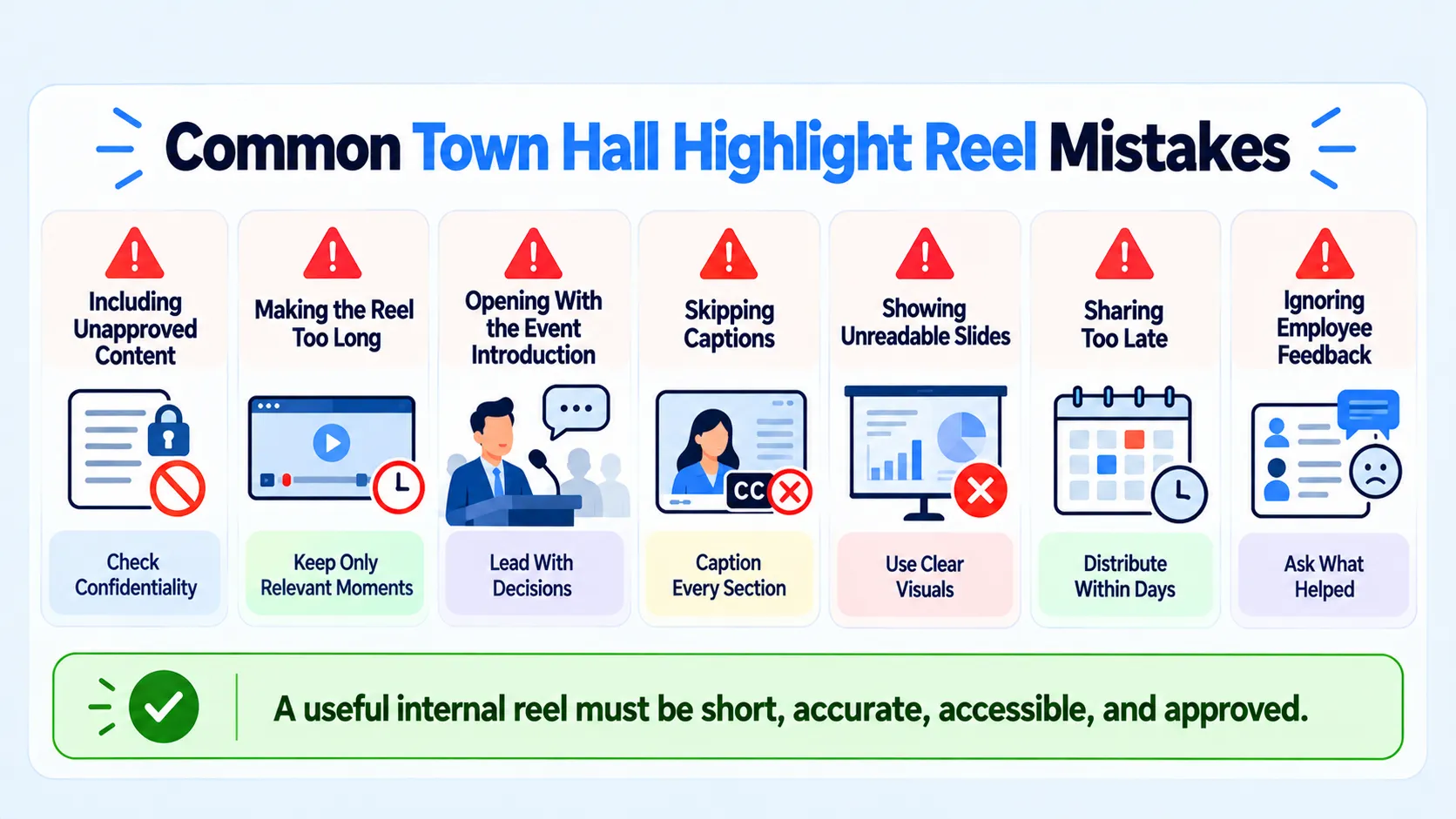
- Including content that is not cleared.
- Making the reel almost as long as the event.
- Opening with the event introduction.
- Skipping captions.
- Showing slides no one can read.
- Sending it weeks later.
- Not asking for feedback.
Quick Answers to Common Town Hall Repurposing Questions
| Question | Short answer |
|---|---|
| How long should the reel be? | Three to five minutes is a starting point, adjusted to content |
| Should it include everyone's questions? | Pick two or three that matter most |
| Do I need captions for an internal video? | Yes, for accessibility and sound-off viewing |
| How soon should it go out? | Within a few days, while the event is fresh |
| Who owns it? | The town hall owner, with communications support |
These answers shape how a team can repurpose a town hall into an internal highlight reel without turning it into a second event.
Who Handles the Town Hall Highlight Reel Editing Process
| Option | Strength | Trade-off |
|---|---|---|
| Internal comms team | Knows the audience and risks | Limited editing time |
| Freelance editor | Flexible edits | You manage selection and approvals |
| Partner | Selection, editing, and graphics together | Needs a clear brief and strong confidentiality rules |
Komet Media focuses on B2B video, and internal communications video is a use of the same editing skills. We would scope it on a call. Komet Media's typical retainers run around $2,500 to $5,000, depending on scope, volume, production difficulty, turnaround, and distribution needs. That is a working range, not a fixed package. Our short-form video editing and video editing for startups pages cover related work. For a clear brief, see our tutorial on writing a video editing brief.
A Short Checklist for Repurposing Town Halls
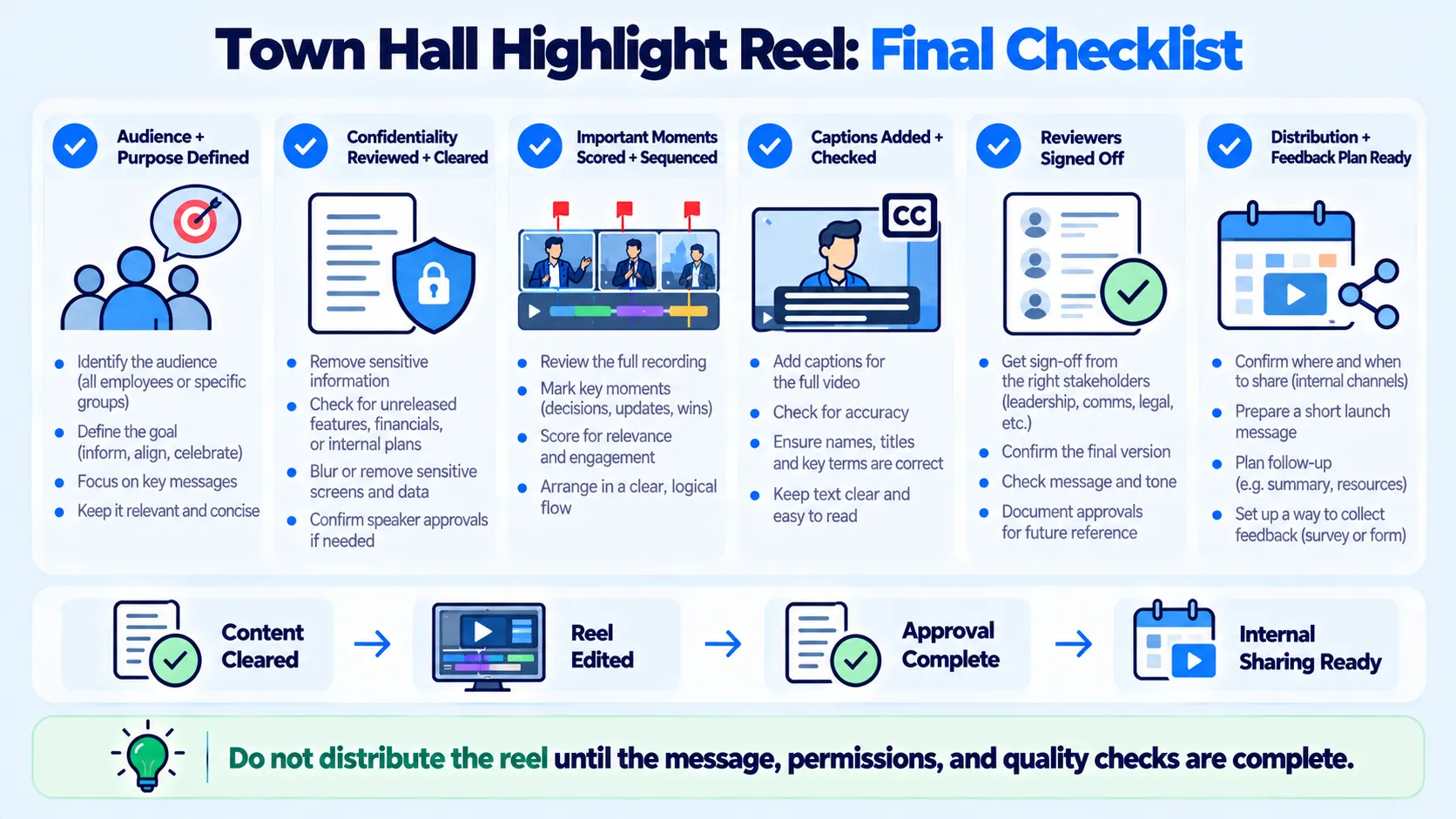
- The audience and purpose are written down.
- Confidentiality has been checked and approved.
- Moments are scored and sequenced.
- The reel is captioned.
- Reviewers have signed off.
- A distribution plan and feedback loop exist, which is the final step to repurpose a town hall into an internal highlight reel well.
Conclusion
To repurpose a town hall into an internal highlight reel, treat the transcript as your raw material, the audience as your editor, and confidentiality as a hard limit. A short, captioned reel that answers what changed, why, and what happens next will do more than a long recording. If you want help scoping an editing workflow, you can book a call.
Frequently Asked Questions (FAQ)
How do you repurpose a town hall into an internal highlight reel?
Define the audience, check confidentiality, find the key moments in the transcript, structure them into three to five minutes, add captions, get approval, and distribute through internal channels.
How much does it cost?
It depends on scope. Komet Media's typical retainers run around $2,500 to $5,000, depending on scope, volume, production difficulty, turnaround, and distribution needs. That is a working range, not a fixed package. See B2B video editing pricing models.
How does the process work?
Audience and purpose, confidentiality check, source and transcript, moment scoring, structure, editing, review, and distribution.
How long does it take?
It depends on the length of the town hall and the review process. Approvals are often the slowest step.
What deliverables should I expect?
Typically one captioned highlight reel, with optional shorter cuts for managers or new joiners. Scope varies.
Should I use a freelancer or an agency?
A freelancer suits teams that manage selection and approvals. An agency suits teams that want selection, editing, and graphics handled together. See freelance editor vs agency.
Should an internal reel ever be shared outside the company?
Only with explicit approval. Check what was said, who was named, and whether it was shared in confidence.
Does Komet Media produce internal highlight reels?
Our focus is B2B video editing and distribution. Internal reels use similar skills, and we can discuss scope on a call. See our video editing FAQ.

