
🪄 AI Summary
Heading 1
Heading 2
Heading 3
Heading 4
Heading 5
Heading 6
Lorem ipsum dolor sit amet, consectetur adipiscing elit, sed do eiusmod tempor incididunt ut labore et dolore magna aliqua. Ut enim ad minim veniam, quis nostrud exercitation ullamco laboris nisi ut aliquip ex ea commodo consequat. Duis aute irure dolor in reprehenderit in voluptate velit esse cillum dolore eu fugiat nulla pariatur.
Block quote
Ordered list
- Item 1
- Item 2
- Item 3
Unordered list
- Item A
- Item B
- Item C
Bold text
Emphasis
Superscript
Subscript
If you're running a brand, SaaS product, or funded startup and still posting from a personal profile, you're leaving a real pipeline on the table. A business Instagram account is the foundation of any serious Instagram marketing strategy, and understanding exactly what it unlocks, how it works, and whether it's right for you is the first step. This guide covers everything: what it is, how it compares to creator and personal accounts, how to set it up in minutes, and how to use it to drive measurable growth.
TL;DR
- A business Instagram account is a free professional profile with analytics, ads, shopping, and contact tools personal accounts don't offer.
- It's built for brands, companies, and teams, not individual influencers.
- Switching takes under five minutes and doesn't erase your existing followers or content.
- Every B2B SaaS team or funded startup serious about pipeline should be on one.
What Is a Business Instagram Account?
A business Instagram account is a type of Instagram page specifically designed for brands. It offers additional features that are specifically useful to businesses trying to expand their reach, engage their target audience, and drive more business. Think of it as the professional operating layer on top of the standard Instagram experience. Where a personal account gives you posts, DMs, and a bio, a business profile gives you a command center, data, advertising tools, storefront capabilities, and direct contact options, all wired into Meta's broader infrastructure.
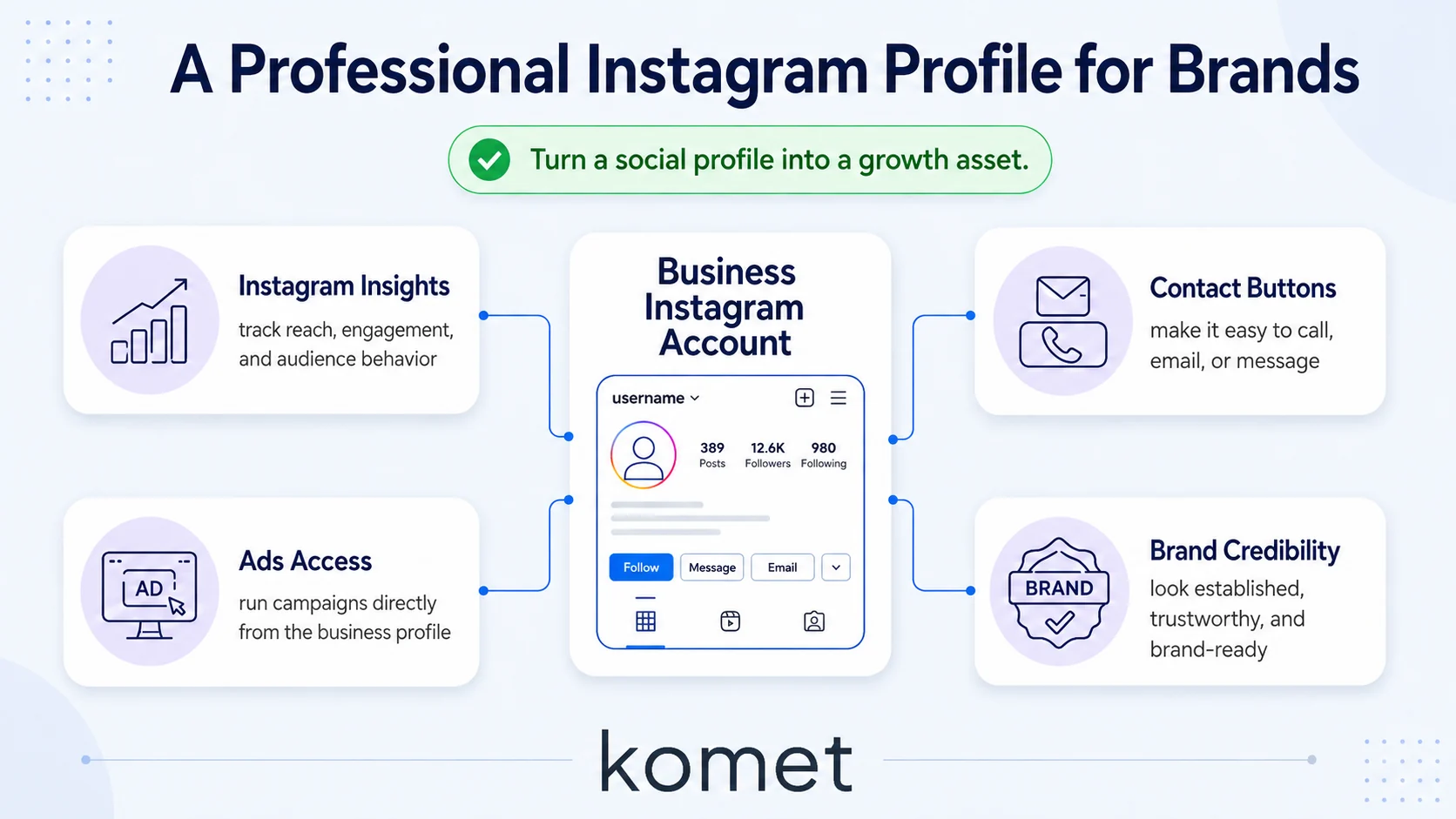
With over 2 billion monthly active users and 90% of them following at least one business account, Instagram has cemented its place as an essential part of any brand's digital strategy. For B2B SaaS teams specifically, the platform is more relevant than most assume. B2B and SaaS companies are thriving on Instagram. SaaS startups use Reels to explain software features in 30 seconds, attracting tech-savvy buyers who scroll Instagram for inspiration.
The business profile signals legitimacy. It displays your category label (e.g., "Software Company"), contact buttons, and a physical or service address, none of which appear on a personal account. You can add a "Contact," "Book Now," or "Reserve" button directly on your profile, making it simple for followers to reach you. Showing your "business" category builds credibility. At its core, a business Instagram account converts a social media profile into a growth asset, one that feeds Instagram Insights data back into your content strategy, connects to Meta Ads Manager for paid distribution, and integrates with Instagram Shopping for direct social commerce. If your goal is pipeline, visibility, or buyer trust, this is your starting point.
How Does a Business Instagram Account Work?
Instagram business accounts include advanced features designed to help you understand your customers and bring people to your website. Here's the operational picture:
Data layer: Business accounts can view audience demographics, content performance, and engagement trends directly within the platform. Businesses can access Instagram analytics through Instagram Insights and the broader Meta Business Suite, including post and Story analytics, audience demographic data, reach and impression tracking, and engagement metrics.
Ad layer: Transform organic posts into targeted ads through boosted posts, expanding your reach beyond current followers to connect with potential customers based on specific demographics and interests. Full campaign control runs through Meta Ads Manager.
Commerce layer: Through integrations with Shopify, WooCommerce, and Meta's Commerce Manager, businesses can sync their product catalogs directly with their Instagram account. Once approved, you can enable shopping tags in posts, Reels, and Stories. Shoppers can browse collections, see prices, and complete purchases without leaving the app.
SEO layer: As of the July 2025 Instagram SEO update, Google now indexes business account content, including Reels, carousels, and feed posts. This means your Instagram content contributes to organic search visibility, not just in-app discovery.
Scheduling layer: Business accounts connect to third-party tools. Connect to tools like Later, Buffer, and Agorapulse to automate publishing, manage multiple accounts, and pull detailed reporting without living in the app.
Everything feeds into a professional dashboard that surfaces what's working across content formats, so your Instagram marketing decisions are driven by data, not guesswork.
Personal Account vs. Business Instagram Account: What's the Difference?
Instagram has three account types: Personal, Creator, and Business. A personal account is ideal for individuals looking to share their daily life, interests, and experiences with friends and family.
A business account is built for an entirely different operating mode.
The main difference between personal and business Instagram accounts is the extra features of business accounts. These features help with marketing and analytics.
One trade-off worth knowing: Business accounts can only utilize the royalty-free music library, and many trending songs may not be available for content. If Reels with trending audio are central to your strategy, factor that in.
Professional accounts are always public, making them perfect for reaching new audiences. Basically, anyone using an Instagram marketing strategy should consider a business account, even if you're only trying to improve your organic reach.
What Features Do You Get With a Business Instagram Account?
A business Instagram account unlocks a specific toolkit unavailable on personal profiles:
- Instagram Insights: A comprehensive analytics dashboard that tracks follower demographics, content performance, and audience engagement. Monitor key metrics like reach, impressions, website clicks, and follower growth to optimize your strategy over time.
- Call-to-action buttons: Customize your profile with action buttons like "Book Now," "Reserve," or "Order Food" to drive specific customer behaviors and simplify the conversion path.
- Instagram Shopping: Create shoppable posts and Stories that let customers discover and purchase products directly within Instagram, streamlining the path from discovery to purchase without ever leaving the platform.
- Meta Business Suite access: Manage Instagram and Facebook together, run campaigns, and oversee multiple team logins from a single dashboard.
- Advertising capabilities: Business accounts can create and manage paid ads and track them to reach targeted demographics. This boosts visibility on the platform and drives sales and brand awareness.
- Reels reach advantage: Reels are the single most powerful organic growth tool on Instagram today. Multiple studies from 2025 and 2026 consistently show Reels receive 2 to 3 times more reach than standard feed posts from the same account.
- Google now indexes Google indexing: Business account content, Reels, carousels, and feed posts,, extending your brand's reach beyond the platform itself.
For B2B and SaaS teams, the combination of Insights, Ads, and Reels reach turns Instagram into a pipeline-supporting channel, not just a brand awareness play. If you need help executing on that, our short-form video editing and Instagram growth services are built for exactly this.
Business Instagram Account vs. Creator Account: Which Is Better?
This is one of the most searched questions in 2026, and the answer is "it depends on your goal." An Instagram Creator account and a Business account are two types of professional accounts with different feature sets. Creator accounts include full music library access, Creator Marketplace, Subscriptions, and Live Badges. Business accounts include Instagram Shopping, physical address display, and phone/booking contact buttons.
If you're running a company or are a business owner, using a business account will give you additional features and the use of Instagram ads. You can also take advantage of third-party scheduling platforms for your posts. Business accounts are ideal for brands focusing on sales, advertising, and customer interaction. Creator accounts are best suited for influencers and content creators building partnerships.
Both support DM automation through Meta's Graph API, switching between them is instant and free, and neither has an algorithm advantage. So if you're a founder building personal brand content alongside a company profile, running both is a legitimate strategy, one Business account for the brand, one Creator account for the founder's voice.
How to Set Up a Business Instagram Account Step by Step
Setting up a business Instagram account takes under five minutes. Here's the exact process:
- Open your profile: Tap your profile picture in the bottom right of the Instagram app.
- Access Settings: Tap the hamburger menu (top right), then tap "Settings and privacy."
- Switch account type: Head to your profile and tap "Edit Profile." Select "Switch to Professional Account" and tap "Next." Pick a category that best matches your business and tap "Switch to Professional Account."
- Select Business: On the professional account selection screen, choose "Business" (not Creator).
- Add contact information: Enter your business email, phone number, and address if applicable. You can add a clickable address that opens to Google Maps so clients can find you easily. You can also use contact buttons so clients can call or email you directly from your Instagram profile.
- Connect to Facebook (recommended): Link your Instagram Business account to a Facebook Business Page for enhanced features and streamlined ad management. If you don't have a Facebook Business Page yet, you can create one during this step. While optional, this connection allows for better integration across Meta platforms.
- Complete your bio: Write a concise description (150 characters) of your business, including keywords and a clear call to action, and add your website, landing page, or contact page URL.
Once complete, you'll have full access to Instagram Insights, advertising capabilities, shopping tools, call-to-action buttons, and all promotional features, at zero cost.
Is a business Instagram account free? Yes. Upgrading is free. You only pay when you run ads or boost posts, organic access to every business feature costs nothing.
Should a Small Business (or SaaS Team) Switch to a Business Instagram Account?
Short answer: yes. Here's the strategic case. For small businesses, Instagram's algorithm distributes content based on interest and quality rather than account size. A local business with 500 followers can reach 50,000 relevant people with a single well-crafted Reel, something that is simply not possible in traditional advertising at any comparable cost.
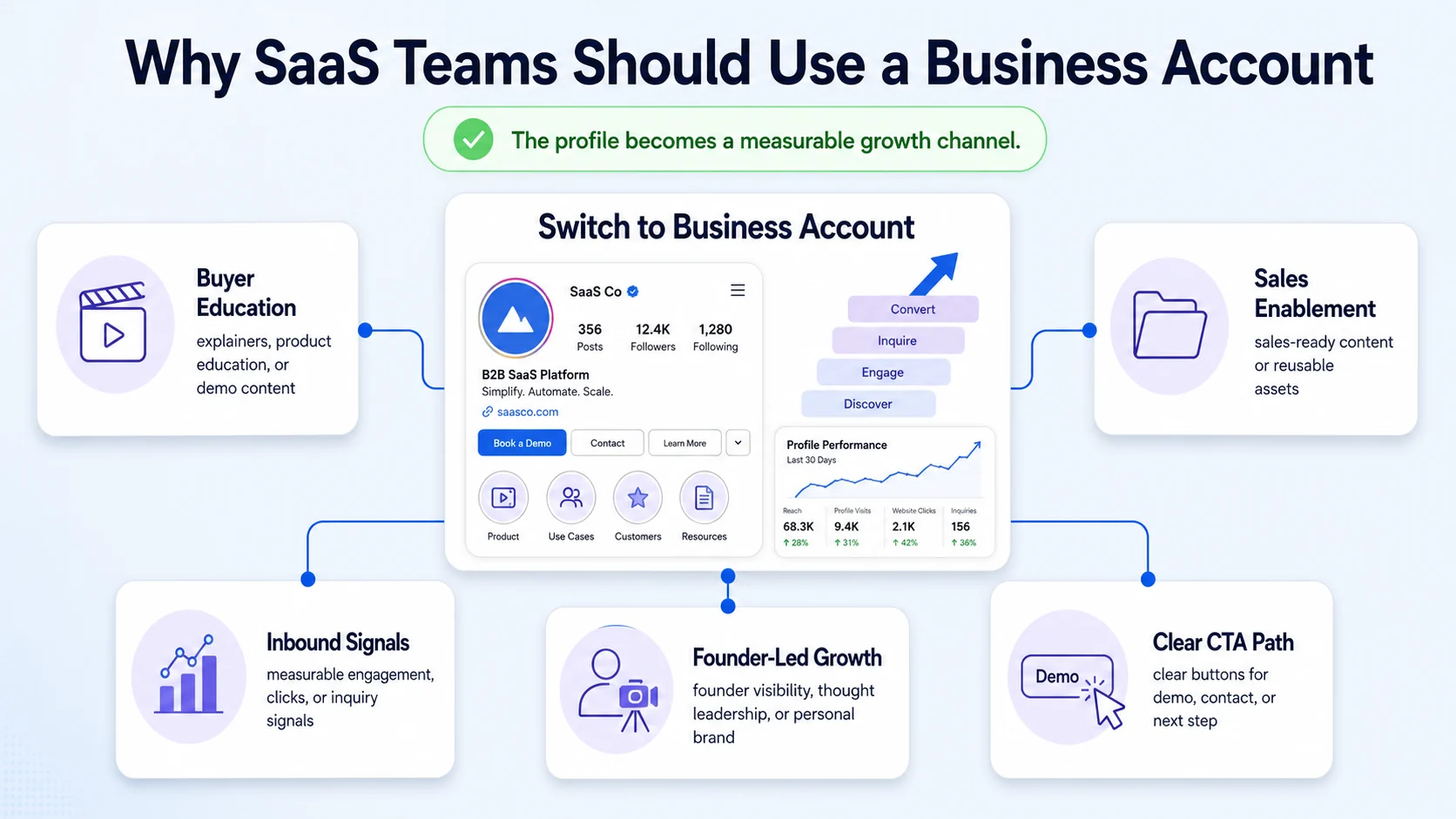
For SaaS and funded tech teams specifically, the business profile opens up channels that directly support pipeline:
- Buyer education via Reels: Product walkthroughs, use-case demos, and founder POV content reach cold audiences through the algorithm, no paid budget required at the start.
- Sales enablement content: Short-form video explaining features, objections, and integrations becomes a library your sales team links in outbound and follow-ups.
- Inbound demand signals: Instagram gives businesses access to detailed analytics that can help them better understand their audience and improve their digital marketing strategy over time. Tracking which content drives profile visits and link clicks tells you what topics your buyers care about most.
- Founder-led growth: A founder with a business profile can post thought leadership content and route engaged followers directly to a demo or lead form via the call-to-action button.
If you're using Instagram to build authority, pull in clients, or sell products, the Business account features move you from casual posting into strategic content marketing. You can plan content with metrics, respond to followers with purpose, and funnel Instagram engagement into real outcomes (leads or sales).
If you want to turn that Instagram presence into a consistent content engine, repurposing webinars, podcasts, and demos into Reels that educate buyers, that's exactly what we do at Komet Media. Our Instagram marketing services and video marketing are built for B2B teams who need results, not just views.
Conclusion
A business Instagram account is the non-negotiable starting point for any brand that takes digital marketing seriously in 2026. Here's what to carry forward:
- It's free to activate and takes under five minutes to set up from any existing account.
- The core value is data, ads access, and social commerce, none of which exist on a personal profile.
- For B2B SaaS teams, it's a pipeline asset: buyer education, inbound demand, and founder-led growth all run through it.
- If you're a brand, choose Business. If you're an individual creator, consider Creator. If you're a founder doing both, run both.
The infrastructure is free. What you do with it determines the outcome. Start with the switch, then build the content system around it.
Frequently Asked Questions
Q1: Is a business Instagram account free?
Yes. Upgrading is free. All core business features, Instagram Insights, contact buttons, shopping setup, and professional dashboard access, cost nothing. You only spend money when you run paid ads or boost posts through Meta Ads Manager.
Q2: Will I lose my followers or posts if I switch to a business account?
No. Your followers, posts, comments, and content stay exactly the same. Only your profile features and available tools change. The switch is instant and reversible, though switching back to a personal profile will delete your accumulated Insights data.
Q3: Can I switch back to a personal account after switching to a business account?
You can switch between Creator and Business accounts as many times as you want. The switch is instant and free. Just don't switch to Personal unless you're sure, that deletes your insights.
Q4: Does having a business account hurt organic reach on Instagram?
Neither Creator nor Business accounts have an algorithmic advantage. Instagram doesn't favor one account type over the other in the feed or Explore page. Choose based on features you need, not growth expectations.
Q5: What's the main difference between a business account and a creator account?
Creator accounts have subscriptions, Live badges, and stars for monetization. Business accounts have none of these, instead, their monetization path is Instagram Shopping and ads. Business accounts also get full third-party scheduling API access, while creator accounts are limited to Meta Business Suite.
Q6: Can a B2B SaaS company actually generate leads from a business Instagram account?
Yes. SaaS companies use Instagram ads and lead forms to capture potential buyers directly inside the platform. Beyond paid, short-form Reels that explain product features, use cases, and integrations educate buyers organically, especially when paired with a clear call-to-action button routing traffic to a demo page or landing page.


