🪄 AI Summary
Heading 1
Heading 2
Heading 3
Heading 4
Heading 5
Heading 6
Lorem ipsum dolor sit amet, consectetur adipiscing elit, sed do eiusmod tempor incididunt ut labore et dolore magna aliqua. Ut enim ad minim veniam, quis nostrud exercitation ullamco laboris nisi ut aliquip ex ea commodo consequat. Duis aute irure dolor in reprehenderit in voluptate velit esse cillum dolore eu fugiat nulla pariatur.
Block quote
Ordered list
- Item 1
- Item 2
- Item 3
Unordered list
- Item A
- Item B
- Item C
Bold text
Emphasis
Superscript
Subscript
Most B2B companies are creating short-form video. Very few are doing it strategically.
They post something on LinkedIn, get a few hundred impressions, and then ask why it is not generating leads. The answer is almost never production quality. It is almost always the absence of a clear system.
In 2026, over 91% of businesses use video as a marketing tool. That means your buyer is already desensitized to average content. They scroll past it without a second thought. The companies standing out are not the ones with the best cameras. They are the ones with the clearest thinking and the most consistent execution.
For B2B founders and marketers, short-form video is one of the highest-leverage channels available right now. LinkedIn, YouTube Shorts, and personalized video in email are actively rewarding B2B creators who show up with genuine insight and a repeatable process.
This guide gives you that process. Step by step. Exactly how to do it.
Step 1: Define Your System Before You Film Anything
A content system is not a posting schedule. It is a set of decisions you make once so you do not have to remake them every time you sit down to create.
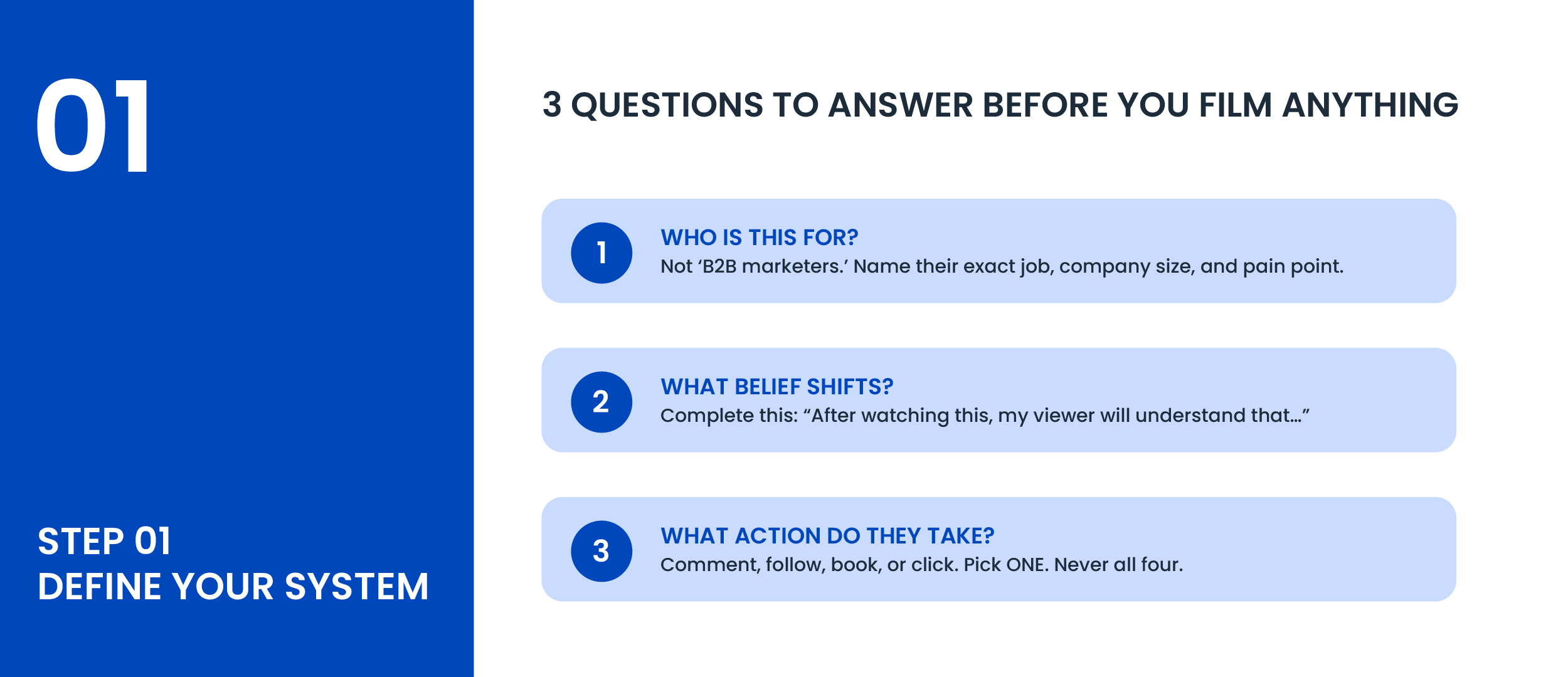
Before you film a single video, answer these three questions clearly:
Question 1: Who exactly is this for?
Not 'B2B marketers.' Go deeper. 'Head of Marketing at a 20 to 100 person SaaS company who is trying to justify a content budget to their CEO and is not seeing ROI from what they are currently doing.' The more specific your answer, the more your content will feel like it was written for one person. That is what stops the scroll.
Question 2: What one belief do I want to shift?
Every video you make should change how your viewer thinks about something. One thing. Not three. If you cannot finish the sentence 'After watching this, my viewer will understand that...' then the video is not ready to film yet.
Question 3: What is the one action I want them to take?
Comment, follow, book, click. Pick one. Every video ends with one clear, low-friction next step. Not four options. One.
If you cannot answer all three before you hit record, you are not ready to film. This is where most B2B content fails before it starts.
Step 2: Build Your Content Pillars So You Never Run Out of Topics
Topics run out. Pillars do not. A content pillar is a recurring theme that your business owns. All your videos live inside a small number of these pillars.
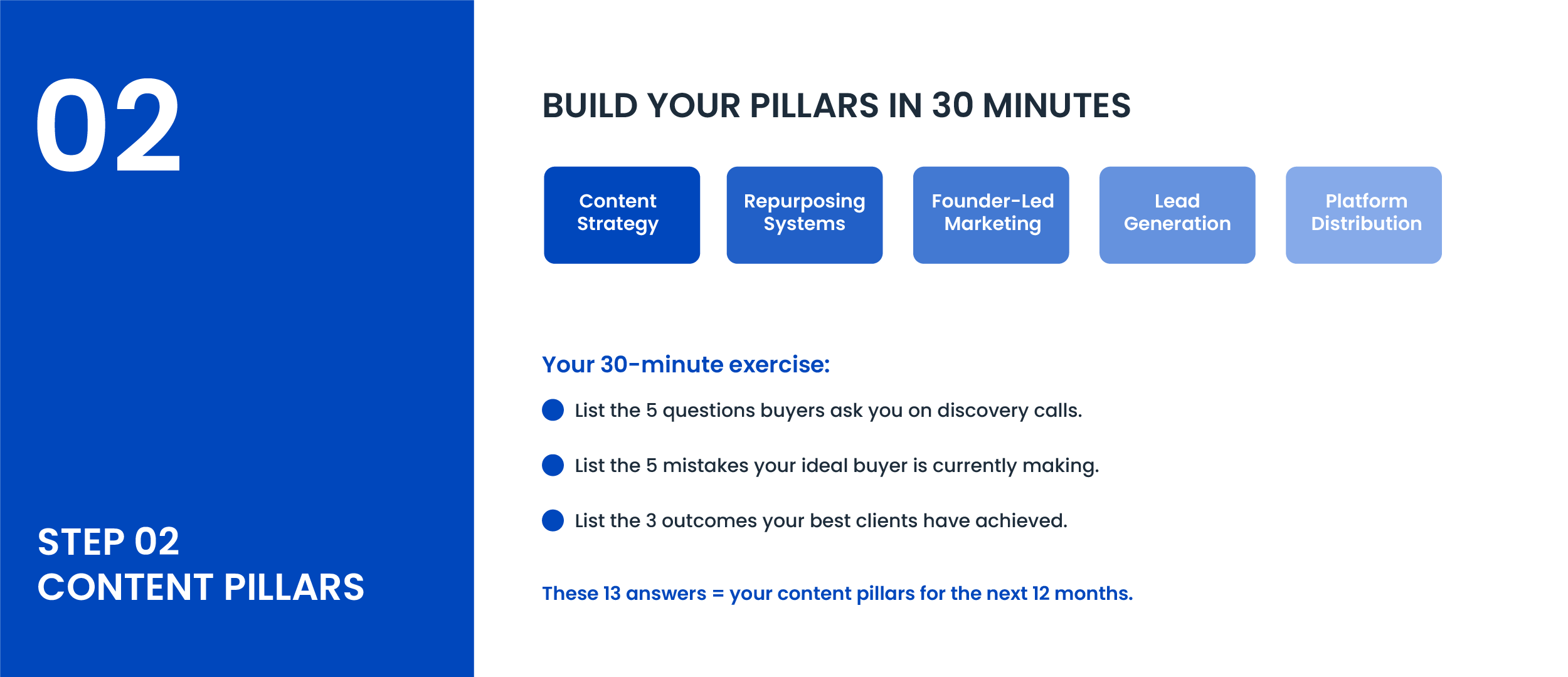
Here is how to define yours in 30 minutes:
1. Write down the 5 questions your ideal buyer asks you most on discovery calls or in DMs.
2. Write down the 5 things your ideal buyer is doing wrong right now that you can see clearly because of your expertise.
3. Write down the 3 outcomes your best clients have achieved working with you.
Read through those 13 answers. Group the themes. You now have 3 to 5 content pillars. Every video you make for the next 12 months lives inside one of them.
The goal is not to chase trends. The goal is to own a point of view so consistently that when your buyer finally has the problem you solve, your name is already in their head.
Step 3: Structure Every Video Using the Hook-Story-Invite Framework
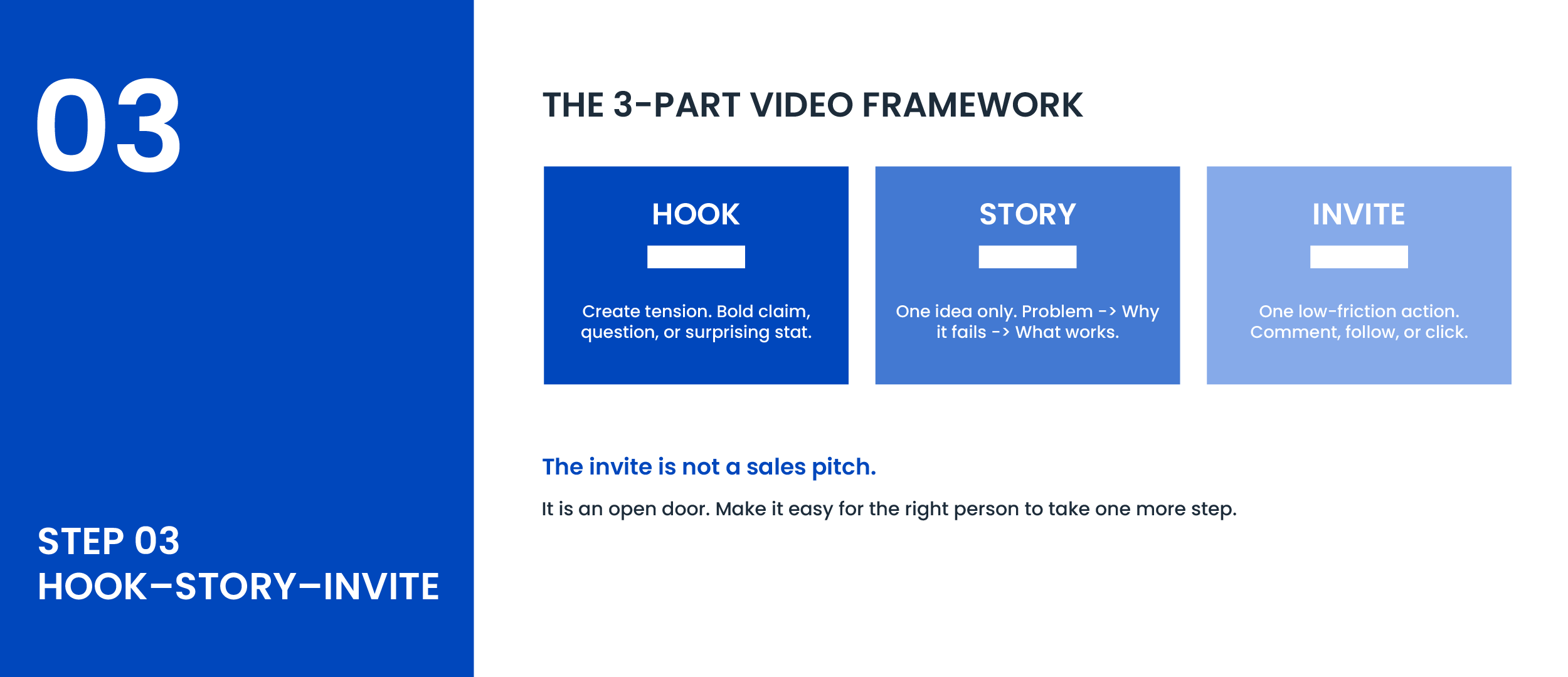
Every short-form video, regardless of topic or length, needs this three-part structure. This is not a creative guideline. It is a retention and conversion framework.
Part 1: The Hook (Seconds 0 to 3)
You have three seconds before the viewer scrolls. Use them to create tension, not context.
• A bold, counterintuitive claim: 'Most B2B companies are wasting their content budget and do not even know it.'
• A question your buyer is already silently asking: 'Why is your LinkedIn content getting views but no leads?'
• A specific, surprising number: '91% of businesses now use video. Most are generating zero leads from it.'
What does not work: starting with your name, your company name, or 'today I want to talk about.' Earn the attention in the first line.
Part 2: The Story (Seconds 4 to 25)
Deliver exactly one idea. Walk the viewer from a problem they recognize to an insight they did not have before. The internal structure:
• Here is what most people do.
• Here is why it does not actually work.
• Here is what works and why.
One clear idea lands. Two ideas rushed together lose people.
Part 3: The Invite (Final 5 Seconds)
Do not hard sell. Pick one low-friction action.
• 'Comment the word system and I will send you the full framework.'
• 'Follow for part two of this next week.'
• 'The full breakdown is linked in my profile.'
The invite is not a sales pitch. It is an open door. Make it easy for the right person to take one more step. That is all.
Step 4: Film It Right Without Overcomplicating the Setup
You do not need a production studio. You need the right setup and a repeatable filming process.
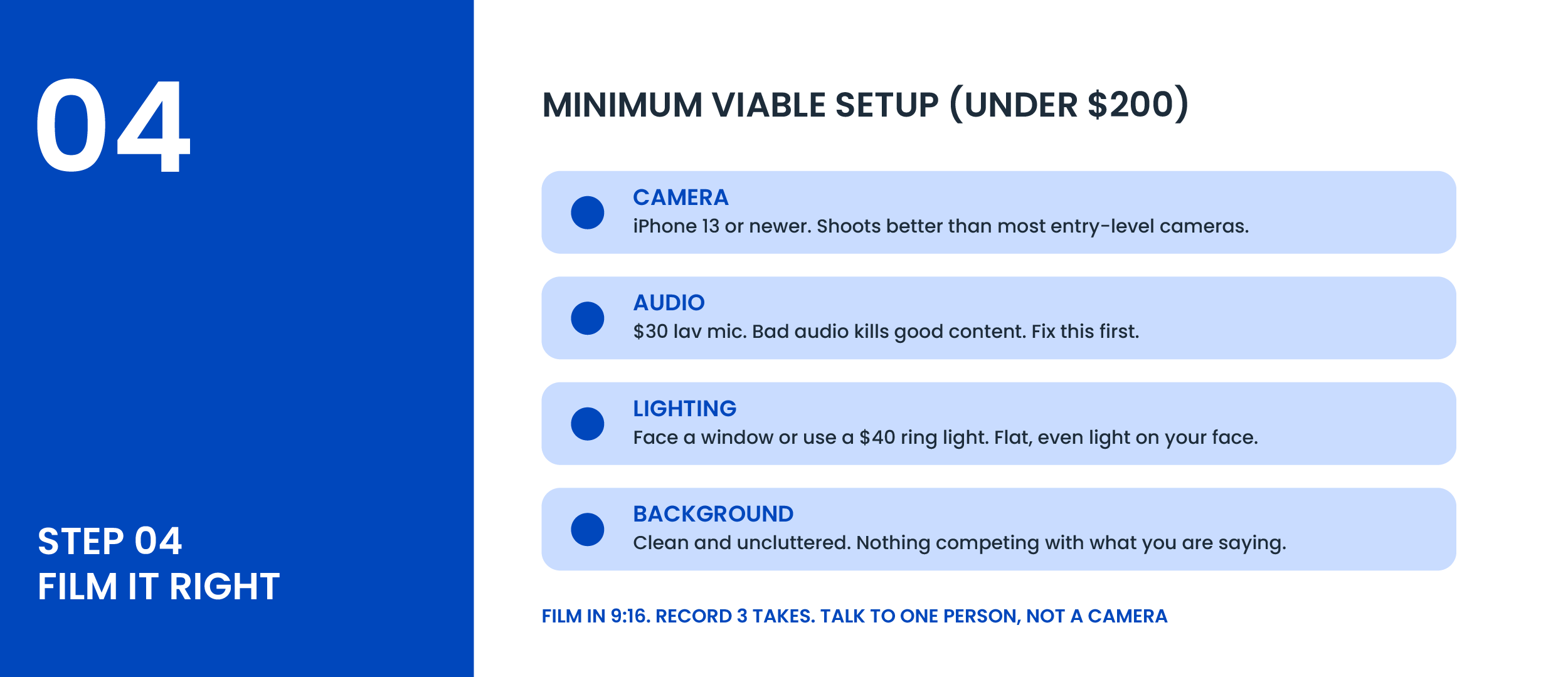
Equipment (Under $200 Total)
• Camera: iPhone 13 or newer. It shoots better than most entry-level cameras. Use it.
• Audio: A $30 lav mic that plugs into your phone. Bad audio kills good content faster than anything else.
• Lighting: Sit facing a window or get a basic ring light for under $40. Flat, even light on your face.
• Background: Clean and uncluttered. Nothing competing with what you are saying.
The Filming Process
1. Set your phone to film vertically in 9:16. Do not crop horizontal content into vertical.
2. Before you film, write a 3 to 5 bullet outline. Not a script. An outline. Scripts make you sound like you are reading.
3. Record 3 takes. The first take is usually the most natural. Review all three before choosing.
4. Speak to one specific person, not a camera. Imagine your best client sitting across from you.
5. Keep it between 30 and 90 seconds. Under 30 feels incomplete. Over 90 loses the algorithm.
Step 5: Edit for Retention, Not for Perfection
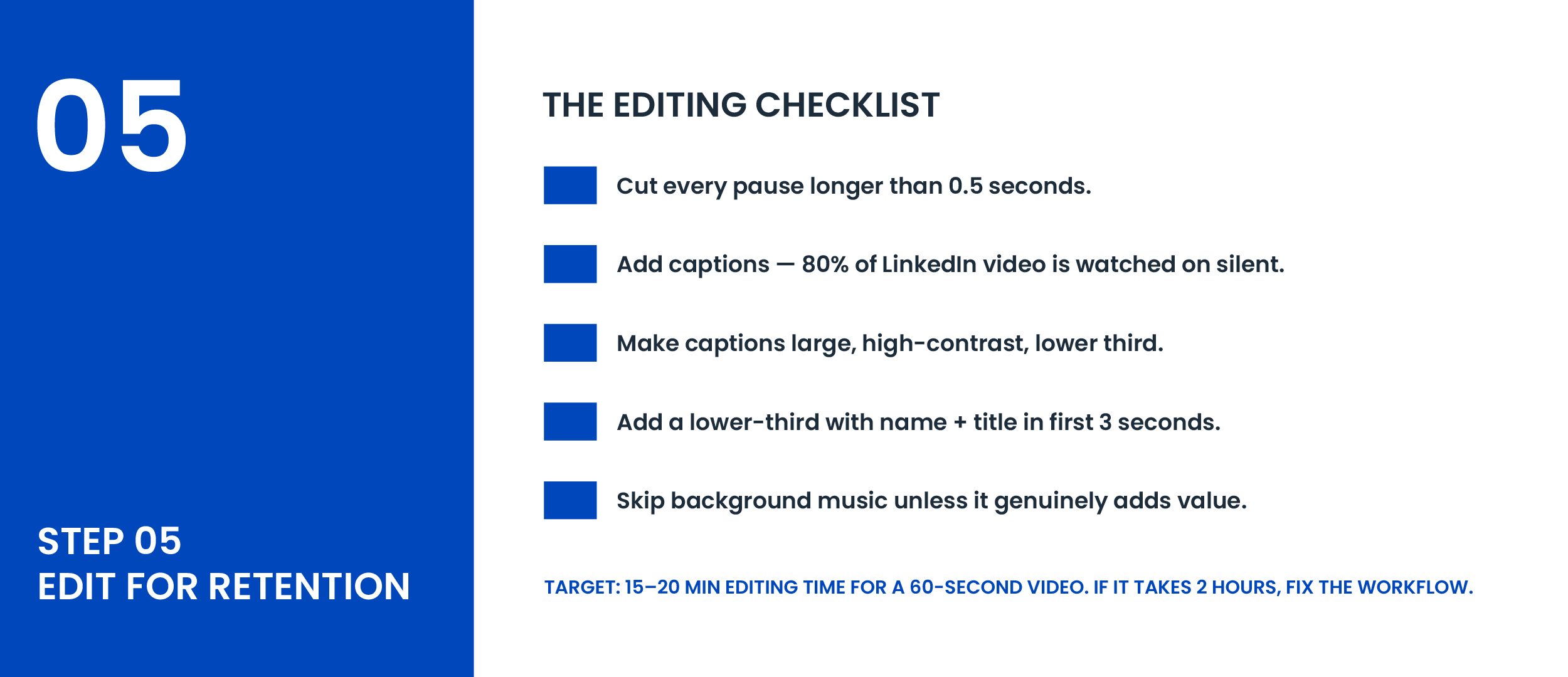
Here is the exact editing checklist:
1. Cut every pause longer than half a second. Dead air kills momentum.
2. Add captions. 80% of LinkedIn video is watched on silent.
3. Make captions large and high-contrast. Small text on a phone screen is invisible text.
4. Add a simple lower-third with your name and title in the first 3 seconds.
5. Skip background music unless it genuinely adds to the content.
Total editing time for a 60-second video using Descript or CapCut should be 15 to 20 minutes maximum. If it is taking 2 hours, your workflow needs fixing, not more time.
Step 6: Distribute on the Right Platforms the Right Way
Creating the video is 40% of the work. Distribution is the other 60%. Here is the exact platform playbook:
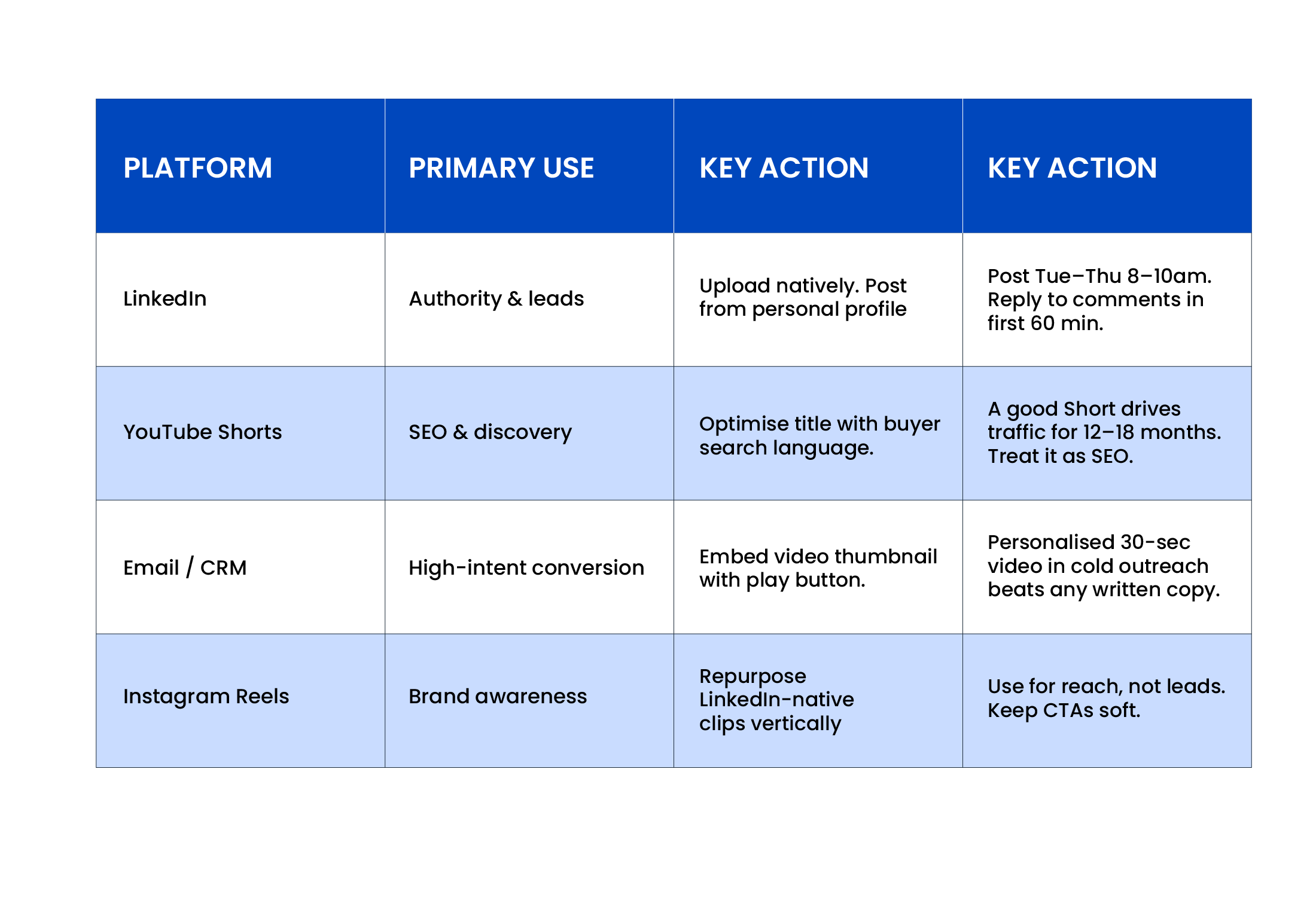
LinkedIn: Deeper Tactics
1. Upload natively. Do not post a YouTube link. Native uploads get significantly more reach.
2. Write a strong first line in your post caption — this is the text before 'see more' and works like a second hook.
3. Post from your personal profile. Personal profiles reach 5 to 10x more people than company pages organically.
4. Post Tuesday through Thursday between 8am and 10am in your buyer's timezone. These windows consistently outperform weekend and late-day posting.
5. Reply to every comment in the first 60 minutes. Early engagement tells the algorithm the content is worth distributing further.
YouTube Shorts: Deeper Tactics
6. Write your title using the exact language your buyer types into a search bar. 'How to repurpose B2B content without a team' beats 'Content repurposing tips.' Think search intent, not social cleverness.
7. Write a 150 to 200 word description with your primary keyword in the first sentence. Include 2 to 3 related keywords naturally throughout.
8. Add 3 to 5 specific hashtags: #B2BMarketing, #ContentStrategy, #B2BVideo. Avoid generic ones like #marketing or #business.
9. Treat every Short like an SEO asset, not a social post. A well-optimized Short continues driving organic traffic for 12 to 18 months with zero additional effort.
Email and CRM: Deeper Tactics
10. Embed a video thumbnail with a play button overlay in cold outreach emails and link it to your hosted video. This increases click-through rates 20 to 30% compared to plain text.
11. Record a short, personalized 30-second intro video for high-value prospects. Say their name. Reference their company. Generic video is ignored. Personalized video is a pattern interrupt.
12. Add your latest video link to your email signature. Every email you send is a free distribution opportunity.
Instagram Reels: Deeper Tactics
13. Repurpose your LinkedIn-native vertical clips directly to Reels. No extra filming needed. Same asset, new audience.
14. Use Instagram for brand awareness and reach, not direct lead generation. The B2B buyer is on Instagram but they are not in a buying mindset. Keep your CTAs soft and curiosity-driven.
15. Add relevant hashtags and a location tag if you serve a specific market. This widens organic discoverability beyond your existing followers.
16. Monitor which Reels get the most saves and shares. Saves signal that your content is genuinely useful. Use those topics as the basis for your next LinkedIn deep-dive.
Step 7: Repurpose Every Video Into 5 to 9 Assets
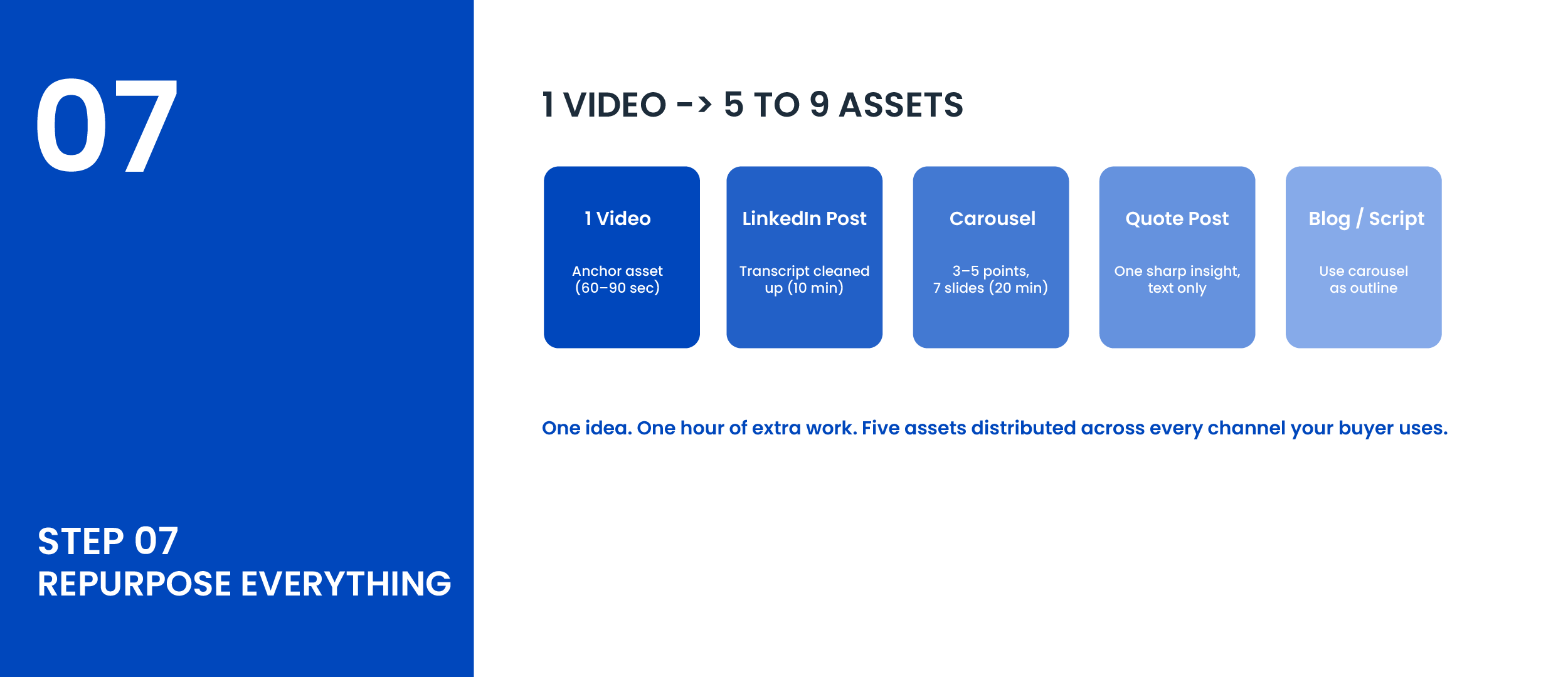
One video is not one piece of content. It is the raw material for an entire week of content across platforms.
1. Film a 60 to 90 second short-form video on one topic. This is your anchor asset.
2. Pull the transcript using Descript or Otter.ai. Clean it into a LinkedIn text post. 10 minutes of work.
3. Turn the 3 to 5 main points into a LinkedIn carousel. Cover slide + one point per slide + CTA slide = 7 slides. 20 minutes.
4. Pull one sharp quote or insight and post it as a standalone text post. Text-only posts often outperform video for raw reach on LinkedIn.
5. Use the carousel structure as an outline for a YouTube video script or a blog section.
6. If the topic has strong search intent, write a 500 to 800 word blog post and embed the video inside it.
One 60-second video becomes: a LinkedIn video post, a carousel, a quote post, a blog section, and a YouTube Short. Five assets. One idea.
No 5-6 hours of extra work. This is the system.
Build a System for Short Form Video in 2026
Short-form video in 2026 is not a production challenge. It is a systems challenge.
The companies generating qualified inbound from video are not posting the most. They are posting with the most clarity. They know exactly who they are talking to, what they want to say, and what they want their viewer to do next.
Volume without intent is noise. Intent without consistency is a missed opportunity. What you want is a system that takes your expertise, turns it into content, distributes it across every channel your buyer uses, and compounds quietly in the background.
Start with Step 1. Build the system before you film anything. Everything else follows from there.
Want This Done for You?
At Komet Media, we build done-for-you video content systems for US-based B2B companies and founders.
We handle the strategy, the filming direction, the editing, the repurposing, and the distribution. You show up, share your expertise, and we turn it into a content system that runs without you managing every piece.
We will look at your current content situation and show you exactly what a system like this would look like for your business.
Or Get a Free Sample Clip in 48 Hours.
Send us one piece of your existing content and we will repurpose it into a short-form clip, ready to post. Zero commitment. Just proof that the system works.