
🪄 AI Summary
Heading 1
Heading 2
Heading 3
Heading 4
Heading 5
Heading 6
Lorem ipsum dolor sit amet, consectetur adipiscing elit, sed do eiusmod tempor incididunt ut labore et dolore magna aliqua. Ut enim ad minim veniam, quis nostrud exercitation ullamco laboris nisi ut aliquip ex ea commodo consequat. Duis aute irure dolor in reprehenderit in voluptate velit esse cillum dolore eu fugiat nulla pariatur.
Block quote
Ordered list
- Item 1
- Item 2
- Item 3
Unordered list
- Item A
- Item B
- Item C
Bold text
Emphasis
Superscript
Subscript
I've worked with enough SaaS teams to know the pattern: a founder has a brilliant product story, the script is written, the video editor is briefed, and then production falls apart. Misaligned shots, expensive reshoots, confused messaging. The missing piece is almost always the same thing. Knowing what a storyboard is and how to use one correctly is the difference between a video that converts and a video that wastes budget. This guide is built for B2B marketing teams, growth leaders, and founders who want to get it right.
TL;DR
- A storyboard is a frame-by-frame visual plan for your video, mapping every shot, camera angle, and voiceover line before production begins.
- It eliminates costly reshoots, aligns your team, and keeps complex B2B narratives on-message.
- For SaaS explainers, demos, and founder videos, a storyboard is pre-production infrastructure, not a creative luxury.
- Skipping it is the single fastest way to blow your video budget.
What Is a Storyboard in Video Production?
A storyboard is a visual representation of a video sequence that breaks down the action into individual panels, a series of ordered drawings with camera direction, dialogue, and other pertinent details. Think of it as the architectural blueprint your entire production team builds from.
Storyboarding is the process of visually mapping out a video project before production begins. It involves creating a sequence of drawings or illustrations that represent each scene or shot, accompanied by notes on dialogue, camera angles, and key details, essentially a visual script that guides the entire production team.
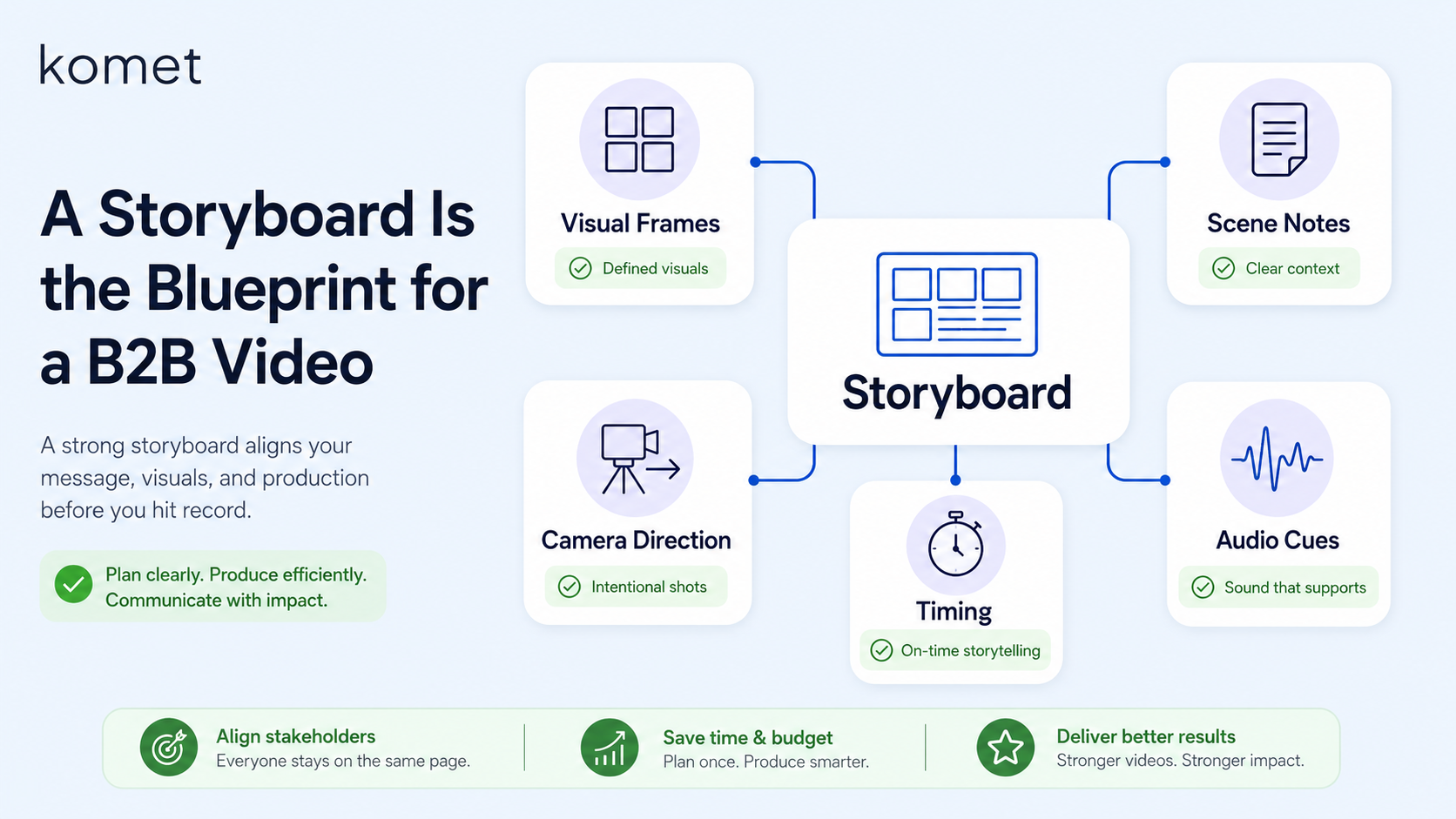
For B2B teams, this matters more than most people realize. Storyboarding is a pivotal phase in the creation of B2B marketing videos, and this meticulous process involves the translation of abstract concepts into concrete visual sequences. When you're explaining a SaaS product's integration workflow or a founder's point of view on market positioning, that translation is everything.
Without a storyboard, you risk miscommunication, budget overruns, and a final product that falls short of expectations. This isn't an abstract risk. A Brightcove study (2025) found that 43% of all B2B video productions experience budget or time overruns due to insufficient technical advance planning.
Every storyboard, regardless of format, contains the same core components:
- Visual frames: Sketches or images representing each shot
- Scene descriptions: Brief action or dialogue notes per frame
- Camera directions: Shot type, angle, and movement (wide, close-up, over-the-shoulder)
- Timing: Estimated duration per scene
- Audio annotations: Voiceover lines, music cues, or sound effects
At Komet Media, a storyboard is the first document we build after the creative brief is approved, not an afterthought we layer in later.
Why Your B2B Video Needs a Storyboard (Not Just a Script)
A script tells people what to say. A storyboard shows everyone what to see. Both are necessary, but they serve fundamentally different functions in the video production workflow. A script communicates the content, flow of information, tone of voice, and supporting visual cues. Good scripts define the narrative and how you'll communicate your message while keeping viewers hooked. But a script alone leaves camera angles, scene transitions, and visual storytelling entirely up to interpretation.
Here's where misalignment kills B2B videos: imagine producing a commercial without a storyboard. The director might envision a close-up shot while the cinematographer plans for a wide-angle. The result is confusion on set and a disjointed final product. A storyboard eliminates these issues by providing a clear visual plan.
For animated explainer videos and motion graphics, two formats Komet Media produces frequently for SaaS teams, the storyboard is non-negotiable. In explainer videos, storyboards are especially important because they simplify complex ideas. By visualizing concepts before production begins, you reduce the chances of misinterpretation and align the entire team with a shared creative vision.
Each panel of your storyboard communicates visual elements, content, imagery, and the layout for your video content. Most importantly, it allows all stakeholders to agree on the video's direction to reduce expensive and time-consuming revisions later on in the process. For SaaS buyers, trust is built in the first 10 seconds of a video. Without a storyboard, those 10 seconds are decided on the day of filming, when it's already too late to fix them cheaply.
What Should a Storyboard Include for B2B Corporate Video Projects?
The level of detail in your storyboard should match the complexity and budget of your production. For a 90-second SaaS explainer, lean storyboards with rough sketches and tight annotations are sufficient. For a multi-scene demand generation series, you need more.
Every professional B2B storyboard should include the following:
- Shot number and scene title: Keeps editors and animators oriented during production
- Visual frame/sketch: Even stick figures work, clarity over artistry
- Shot composition: Wide, medium, close-up, over-the-shoulder, or screen capture
- Camera angle and movement: Static, pan, zoom, or cut direction
- Voiceover or dialogue: The exact script line that plays over the frame
- On-screen text or motion graphics: Any lower thirds, callouts, or animated UI elements
- Audio notes: Background music tone, SFX triggers, or silence cues
- Transitions: Cut, fade, dissolve, or match cut between scenes
- Duration estimate: Seconds per frame, to track total runtime
According to storyboarding industry data from 2025, 72.8% of filmmakers maintain very detailed storyboards. For B2B video, that thoroughness pays off directly at the editing stage, especially when working with tools like Adobe Premiere Pro, where every second of the timeline requires a deliberate decision.
One of the biggest benefits of storyboarding is that it saves time and money in the long run. By mapping out the video in advance, you can catch issues or inconsistencies early, before the costly animation or editing process begins. It also helps align the vision of the entire creative team and allows for client feedback and revisions at an early stage.
Our video editing services and motion graphics work always starts here, with a complete, annotated storyboard reviewed and signed off before a single frame is exported.
How to Create a Storyboard for a B2B Explainer Video
You do not need to be a professional illustrator to storyboard effectively. Learning how to storyboard a video doesn't require you to be a professional artist. The key is to focus on clarity rather than perfection.
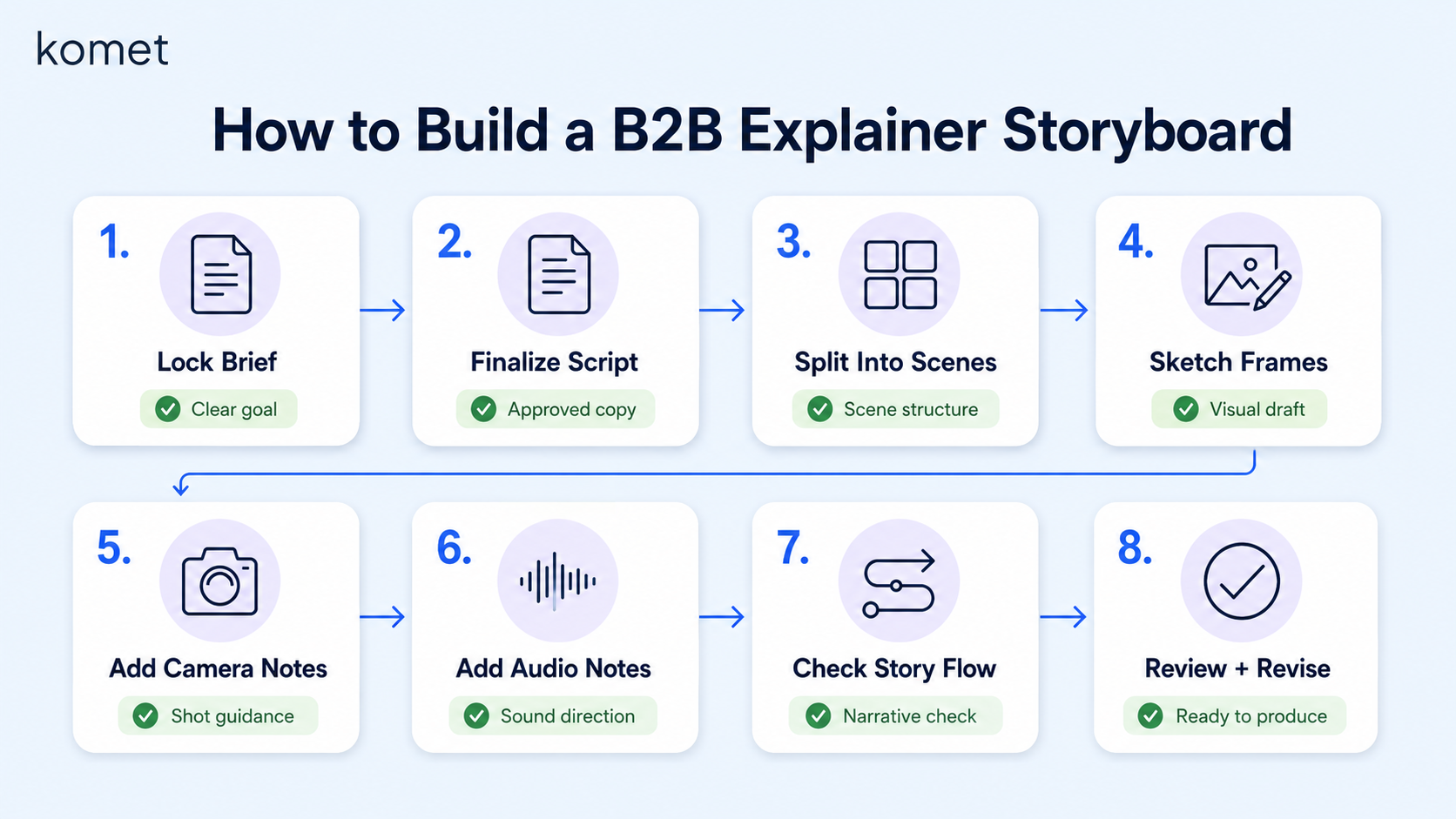
Follow this sequence for a B2B explainer or short-form video:
- Lock the creative brief: Define the target buyer, core message, call to action, and runtime before sketching a single frame. Every visual decision flows from this.
- Finalize the video script: Your storyboard begins with a solid script. This script serves as the backbone of your video, ensuring the story flows logically and smoothly from start to finish.
- Break the script into scenes: Each logical beat or topic shift becomes a new storyboard panel. A 90-second video typically yields 8–14 panels.
- Sketch each frame: Draw rough visuals for each panel, the scene, the on-screen subject, any UI elements or product shots. Stick figures, boxes, and arrows are fine.
- Add camera and composition notes: Label every panel with shot type (medium shot, close-up), camera angle, and movement direction.
- Write audio and motion notes: Note voiceover lines, on-screen text, motion graphics cues, and music tone beneath each frame.
- Review against the narrative structure: Read through the full storyboard as a sequence. Check that scene sequencing tells a coherent story, problem, solution, proof, CTA.
- Share with stakeholders and revise: Once the storyboard is complete, share it with your team or client to gather feedback. This review stage is crucial because it helps you identify gaps, redundancies, or confusing elements early, before investing time and resources into production.
This process applies whether you're building a webinar recap clip, a product demo short, or a founder-led LinkedIn video. The storyboard is the same document that keeps editors, animators, and clients aligned throughout the entire production timeline.
Storyboard vs. Script: The Difference That Costs B2B Teams the Most
This is the question I get asked most often by SaaS marketing teams who are new to video marketing. The honest answer: skipping the storyboard and relying only on the script is the most expensive mistake in B2B video production.
Storyboards are essential to the pre-production process because they give you and your team direction in a way that a simple script cannot, and they bring your video concept to life long before you begin the actual filming process.
The fundamental difference comes down to what each document controls: A script governs the narrative, what the buyer hears. A storyboard governs the visual, what the buyer sees. Both must work in tandem for a video to educate, build trust, and move a prospect toward a demo request.
By visualizing the entire video project in advance, storyboarding helps identify potential issues before they become problems on set. You can spot inconsistencies in the narrative, assess the feasibility of complex shots, and address any logistical challenges early in the planning phase.
For SaaS teams running a video advertising campaign or producing a product explainer for the digital marketing funnel, the storyboard is also the client approval document.
Storyboarding allows you to experiment with different ideas and visual styles before committing to a final approach. A storyboard also serves as a tangible representation of your concept, making it easier to secure client buy-in.
One more practical distinction: changes to a storyboard cost nothing. Changes after filming or after animation has begun can cost thousands. The pre-production investment in frame-by-frame planning eliminates the downstream rework that quietly destroys video budgets.
How Detailed Should a Storyboard Be for a B2B Video?
The right level of detail depends on three variables: production type, team size, and budget. There is no single standard, but there are clear principles.
Storyboards can contain as much information as you want. This is a tool to help you with the pre-production process, so don't feel completely tied to one storyboard format over another.
Use this table as your decision framework:
Storyboards can be as detailed or basic as you like. If you struggle to draw, sketching stick figures is fine. The primary purpose is to solidify and communicate your ideas to yourself and others. For content repurposing workflows, turning a podcast or webinar into short clips, lighter storyboards work well because the source material already defines the narrative structure. You're primarily planning shot composition, captions, and transitions rather than building a story from scratch.
According to a study by Edelman (2024), 68% of all B2B case study videos primarily focus on their own product or company instead of placing the customer and their transformation at the center. A detailed storyboard, reviewed with this insight in mind, is the mechanism that catches that mistake before filming day.
The rule I use at Komet Media: if you're unsure whether a storyboard is detailed enough, add one more layer of visual specificity. It will always save time downstream.
Conclusion
Understanding what is a storyboard is foundational to every B2B video that actually performs. Here are the core takeaways:
- A storyboard is a frame-by-frame visual plan covering shot composition, camera angle, voiceover, and transitions, built before any filming or animation begins.
- It is not the same as a script. The script controls what buyers hear; the storyboard controls what buyers see.
- For SaaS teams, storyboards protect budget, align stakeholders, and ensure complex product narratives land clearly.
- The right level of detail scales with production complexity, from 4-panel LinkedIn clips to 25-panel animated explainers.
If your B2B video content is not converting, the problem often starts in pre-production. Talk to Komet Media about building a video system that starts with strategy and storyboards, not just an editor.
Frequently Asked Questions
Q1: What is a storyboard in the simplest terms?
A storyboard is a visual plan for a video made up of sequential panels. Each panel shows a scene sketch, the camera angle, any on-screen text, and the corresponding voiceover or dialogue. It tells the production team exactly what to film or animate before production begins.
Q2: Do I need a storyboard if I already have a video script?
Yes. A script controls dialogue and narrative flow. A storyboard controls visuals, shot composition, scene sequencing, and transitions. Storyboards give your team direction in a way that a simple script cannot , especially for animated explainers and SaaS demos where the visual layer carries most of the message.
Q3: How long does it take to create a storyboard for a B2B video?
A 90-second SaaS explainer typically takes 4–8 hours to storyboard properly, including review rounds with stakeholders. Animated explainer videos with motion graphics take longer. The investment is always smaller than the cost of reshoots or post-production rework.
Q4: What does a professional B2B video storyboard look like?
It contains numbered panels with rough sketches or digital illustrations, camera direction labels (close-up, wide, medium), voiceover lines beneath each frame, notes on on-screen text or motion graphics, audio cues, and estimated scene duration. It reads like a visual script from the first scene to CTA.
Q5: Can I storyboard a video without drawing skills?
Absolutely. If you struggle to draw, sketching stick figures is fine. Digital tools like Canva, Storyboard That, and Figma offer pre-built templates. The goal is clarity of intent, not artistic quality. Your editor or animator will interpret the brief, they don't need gallery-ready artwork.
Q6: Is storyboarding necessary for content repurposing from podcasts or webinars?
A lighter version, yes. When repurposing a podcast episode or webinar into short clips, the narrative already exists. The storyboard focuses on clip selection, caption style, b-roll placement, and transitions rather than full scene construction. Even a 4-panel sketch keeps editors aligned and reduces revision cycles significantly.


