🪄 AI Summary
Heading 1
Heading 2
Heading 3
Heading 4
Heading 5
Heading 6
Lorem ipsum dolor sit amet, consectetur adipiscing elit, sed do eiusmod tempor incididunt ut labore et dolore magna aliqua. Ut enim ad minim veniam, quis nostrud exercitation ullamco laboris nisi ut aliquip ex ea commodo consequat. Duis aute irure dolor in reprehenderit in voluptate velit esse cillum dolore eu fugiat nulla pariatur.
Block quote
Ordered list
- Item 1
- Item 2
- Item 3
Unordered list
- Item A
- Item B
- Item C
Bold text
Emphasis
Superscript
Subscript
Your Marketing Team Is Spending $8,000 on Video It Doesn’t Need To
How B2B SaaS teams are using Sora AI to produce concept videos, social clips, and campaign assets - in minutes, not weeks.
The average B2B video costs between $3,000 and $10,000 to produce. And most SaaS marketing teams are still waiting 3–4 weeks per asset. Meanwhile, your competitors are shipping content daily.
That bottleneck is not a budget problem. It’s a workflow problem. And Sora - OpenAI’s AI video generator, accessible via platforms like OpenArt - is one of the tools quietly starting to dissolve it.
This isn’t a hype piece. Sora has real limitations for B2B work, and we’ll cover those honestly. But if you’re a SaaS marketer, founder, or content team lead who’s been waiting to understand where AI video actually fits - this is the practical breakdown you need.
The Real Video Production Problem for B2B Teams
Here is what the production timeline actually looks like for most SaaS companies:
1. Brief the concept — 2–3 days of alignment between marketing, product, and leadership.
2. Script and storyboard — Another week, sometimes two, if there are revisions.
3. Shoot or source footage — Studio time, stock licenses, or scheduling a spokesperson. Each introduces delays.
4. Edit, review, revise — 2–3 rounds with stakeholders. One more week gone.
5. Publish — Finally. 3–5 weeks after the original idea. The campaign window may have passed.
The result: most B2B teams produce 4–6 polished videos per year and fill everything else with static graphics, carousels, and recycled blog content.
AI video doesn’t fix all of this. But for a specific slice of the workflow — concept visualization, social clips, campaign prototypes — it changes the equation meaningfully.
What Is Sora — and What Is It Not?
Sora is a video generation model built by OpenAI. It generates entirely new video footage from a text description or uploaded reference images. The output: short cinematic clips with realistic physics, natural motion, and — in Sora 2 — synchronized native audio.
What Sora IS
A generative AI model that creates original video scenes from scratch based on your text prompt or reference images. Sora 2 also generates synchronized dialogue, sound effects, and background music.
What Sora IS NOT
Sora does not edit your existing footage. It does not add captions or motion graphics. It does not integrate with your brand guidelines automatically. It is not a screen recorder or a slide animator.
How to Access Sora in 2026
Sora is built directly into ChatGPT — there is no separate app. You access it at sora.chatgpt.com or through the ChatGPT interface.
Important update: Sora is no longer free. As of January 2026, OpenAI removed the free tier. You need a paid ChatGPT plan:
⚠️ Geographic Restrictions
Sora 2 is currently available in the US, Canada, Japan, South Korea, Taiwan, Thailand, and Vietnam. The UK and EU are blocked due to GDPR and EU AI Act compliance issues, with no announced launch date.
Step-by-Step: Creating Your First Video
Here is exactly how to go from zero to a generated video clip.
Step 1 — Log in and go to Sora
Navigate to sora.chatgpt.com. Log in with your ChatGPT Plus or Pro account. You will land on the Sora home screen where you can see recent creations and the prompt input area.
Step 2 — Choose your creation mode
Click "Create." You will see two primary modes:
• Text to Video: Write a scene description and Sora generates the footage from scratch. Best for abstract concepts, environments, and scenarios that don’t need to match a specific visual.
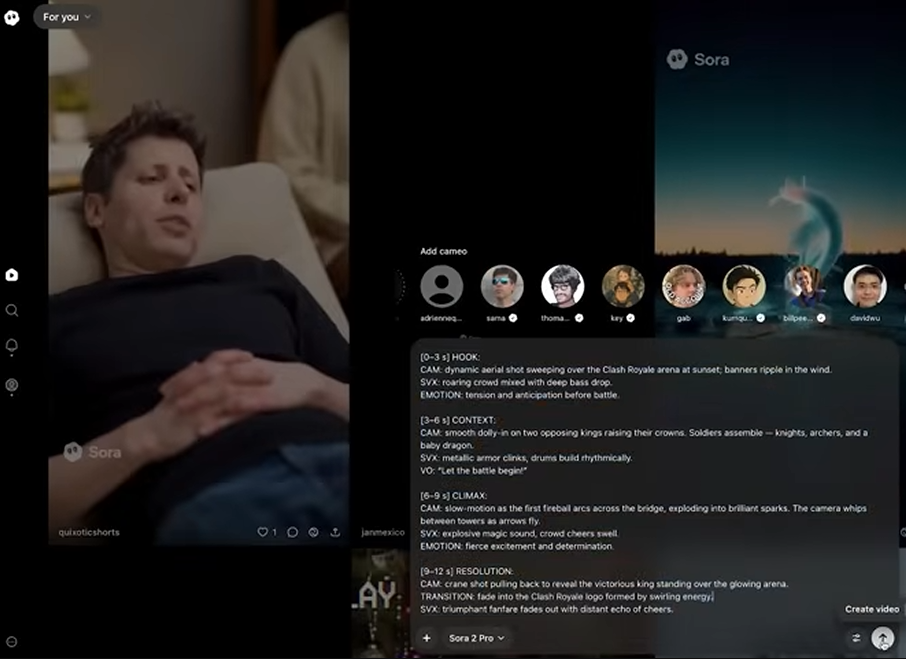
• Image to Video: Upload a reference image (start frame, end frame, or both) and Sora animates between them. Best when you need visual continuity — a product shot that “comes alive,” or brand-consistent output using your own visuals.

Step 3 — Configure your video settings
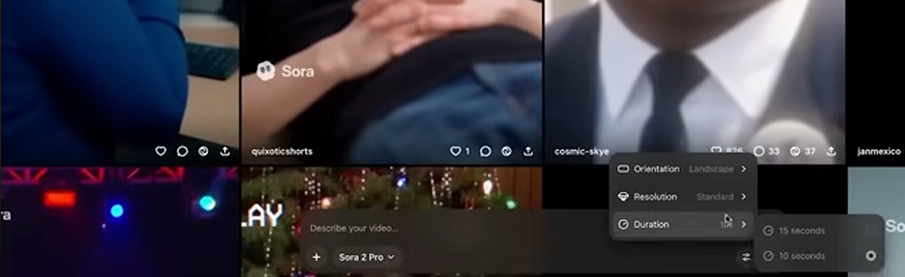
Before writing your prompt, set your output parameters:
• Aspect Ratio: 16:9 for YouTube/presentations, 9:16 for TikTok/Reels/Shorts, 1:1 for Instagram/social.
• Duration: 5 seconds (Plus) or up to 20–25 seconds (Pro). Start short to test your prompt before committing to a longer generation.
•Resolution: 720p (Plus) or 1080p (Pro).
Step 4 — Write your prompt
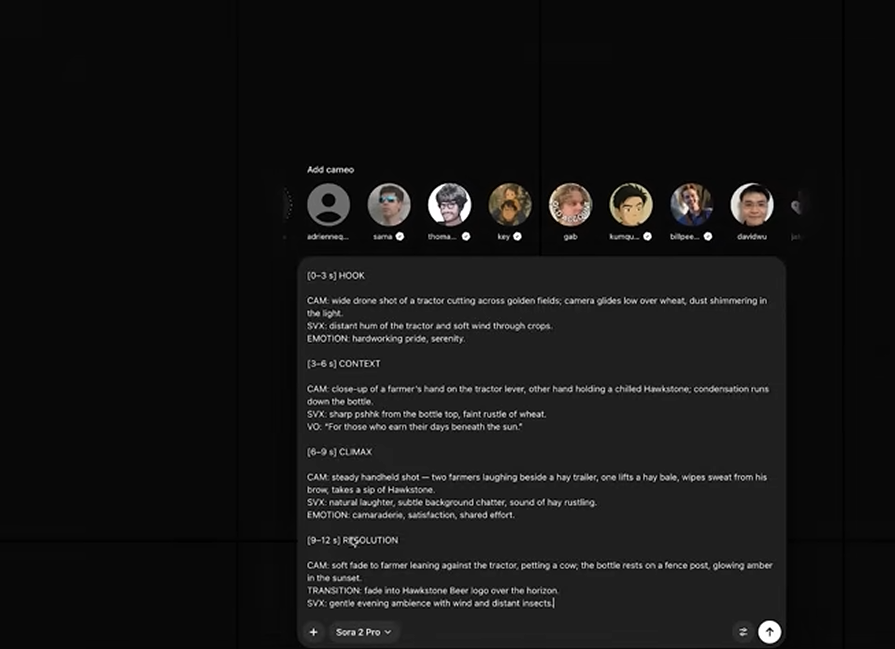
Type your scene description into the prompt field. This is where most people either get great results or disappointing ones. See Section 5 for a full prompt-writing guide.
Step 5 — Generate and review
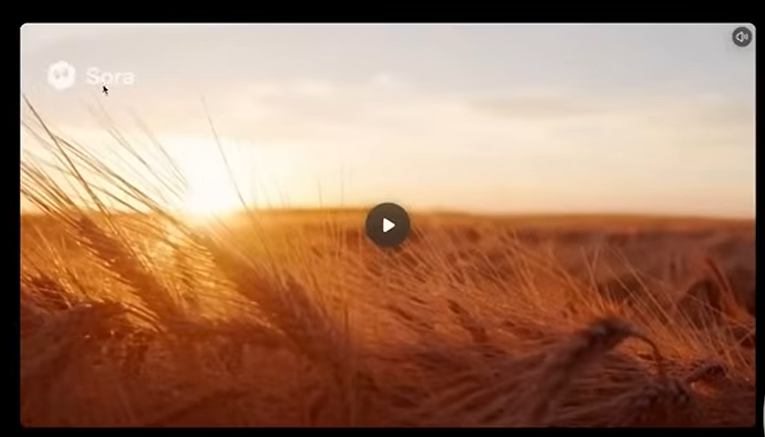
Click Generate. Wait 30 seconds to a few minutes depending on complexity and server load. Once the clip appears, review it for motion quality, visual accuracy, and tone. You can iterate — usually 2–3 rounds gets you to a usable base clip.
Step 6 — Download and take to your editor
Download the clip. Import it into your video editor (CapCut, Premiere, DaVinci Resolve). Add captions, brand overlays, voiceover, or music. This is where your brand identity enters — Sora gives you the raw material; you shape it into the finished asset.
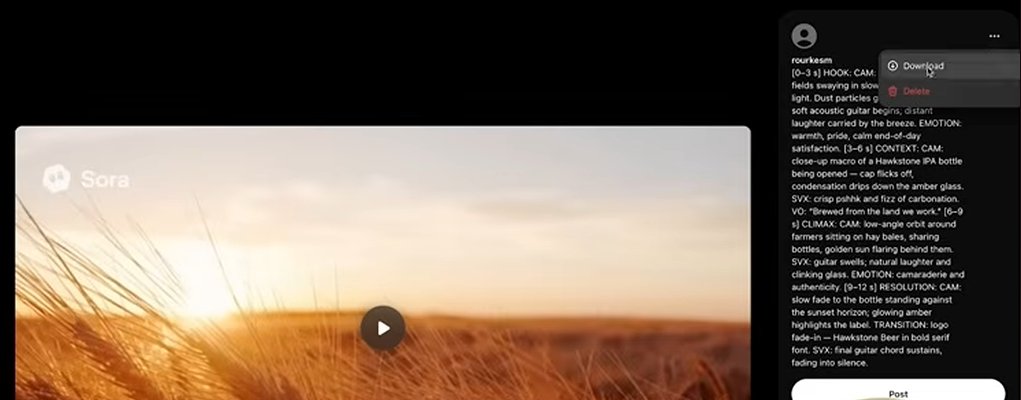
Screenshot source: YouTube video “Sora 2- AI Beginner To Advanced Tutorial (Watch All) ” by Rourke Heath
Writing Prompts That Actually Work
Your output is only as good as your prompt. Most people get weak results not because Sora is bad, but because they write prompts like Google searches. Sora responds to scene direction — think like a cinematographer, not a search bar.
The anatomy of a strong Sora prompt
Weak prompt vs. strong prompt
❌ WEAK PROMPT
A person using software at a desk
✅ STRONG PROMPT
Scene: A glass-walled conference room in a modern tech office.
Natural daylight streaming through floor-to-ceiling windows.
Subject: A focused marketing director, mid-30s, reviewing an analytics
dashboard on a large wall-mounted screen. Standing, pointing to a chart
while a small team looks on.
Camera: Start on a wide shot showing the full room, then slowly push in
to a medium close-up on her face — confident, engaged.
Style: Cinematic. Warm, slightly desaturated grade. Shallow depth of field.
Audio: Ambient office sounds, soft keyboard clicks, no dialogue.
Duration: 10–12 seconds. Smooth, unhurried pace.
The difference in output quality between these two prompts is not subtle. The second gives Sora the directorial context it needs to make consistent, intentional creative decisions.
For Image-to-Video mode
When using reference images, image quality matters significantly:
• Use high-resolution, well-lit images (at least 1080p).
• Match the lighting and color temperature between start and end frames for smoother transitions.
• Keep the camera angle similar across both frames — dramatic perspective shifts create unnatural warping.
• Add a text description in the prompt field even in image mode — it helps Sora understand the intended motion.
Using Storyboard Mode (Pro only)
Storyboard mode lets you define keyframes at specific timestamps, giving you precise control over how scenes progress. Instead of one prompt for the entire video, you describe each moment:
STORYBOARD EXAMPLE — SaaS Product Launch Clip
KEYFRAME 0s: Wide shot of an empty SaaS dashboard on a curved monitor.
Dimly lit modern office at night. No person in frame.
KEYFRAME 4s: A pair of hands enters frame, begins typing.
Data visualizations begin updating on the screen.
KEYFRAME 8s: Camera slowly pushes in toward the screen.
Charts animate upward. Notification badges appear.
KEYFRAME 12s: Close-up on the screen — a green “Deal Won” notification.
Soft UI sound effect.
Storyboard mode is where Sora truly shines for content creators who want narrative control rather than a single static scene.
Where Sora Genuinely Helps B2B SaaS Teams
Not every video use case is right for AI generation. Here is where it works well:
• Campaign concept videos — Visualize a campaign idea before committing to full production. A 10-second scene costs you a prompt, not a shoot day.
• LinkedIn & social b-roll — Ambient visuals, cinematic backgrounds, and short scene clips for use behind text or voiceover content.
• Problem visualization — Show a relatable B2B pain point — a chaotic inbox, a delayed pipeline, a frustrated team — without casting and shooting it.
• Repurposing hooks — Generate a visual intro for a podcast clip or webinar highlight that would otherwise open on a static thumbnail.
• A/B testing creative — Test three visual directions for a campaign in an afternoon. Then invest production budget in the winner.
• Website hero sections — Animated background loops and product environment shots that would otherwise require a 3D animator.
What Sora Cannot Do — Be Honest Here
Before you try to use Sora for everything, here are the real limitations that affect B2B teams specifically.
⚠️ No readable text in video
Sora struggles to render legible text inside scenes. If your concept relies on showing product copy or UI text clearly, this is a problem. Add text in post-production using your video editor.
⚠️ Character consistency across clips (not within a clip)
Sora 2 improved character consistency within a single clip. However, it still cannot reliably reproduce the same person across multiple separate clips. Each generation is a standalone scene.
⚠️ Human hands
Hands with the correct number of fingers, holding objects naturally, remain one of the model’s known weaknesses. Review any close-up hand shots carefully.
⚠️ No brand control by default
Sora does not know your brand colors, product UI, or visual identity. You supply that through prompts and reference images, or apply it in post-production.
⚠️ Short clip length
Practical output caps at around 20–25 seconds per generation on a Pro plan. Longer pieces require stitching multiple clips together in your editor.
The honest summary: Sora is a concept and b-roll tool, not a final production system. It fits best in the early stages of a video workflow — generating raw material that a human editor shapes into a finished asset.
The Full Workflow: From Idea to Publish
Here is how a B2B SaaS team can practically integrate Sora into a working content production system:
- Start with your core message, not the tool. What does this video need to communicate? What should a viewer feel in 15 seconds? Write that down first.
- Write 2–3 scene descriptions. Translate your message into visual scenes using the prompt structure above. This takes 20–30 minutes.
- Generate and review outputs. Run your best prompt. Review for motion quality, visual accuracy, and tone. Iterate — usually 2–3 rounds gets you to a usable base clip.
- Edit in your normal workflow. Import into CapCut, Premiere, or DaVinci. Add captions, brand overlays, voiceover, or music. This is where your brand identity enters.
- Publish and repurpose. One source clip can feed LinkedIn, YouTube Shorts, Instagram Reels, and your website hero.
The Bottom Line
Sora won’t replace your video production workflow. What it does is eliminate the expensive, time-consuming dead zones that exist before production actually starts — the ideation meetings, the storyboard reviews, the “I need to see it to decide” loops.
For B2B SaaS teams that need to move fast, ship consistently, and stay out of 6-week production timelines for every piece of content — it is one of the most practically useful tools available right now.
Access it at sora.chatgpt.com with a ChatGPT Plus or Pro subscription. Start with a 5-second test clip, iterate your prompt, then scale up to full production quality once you find what works.
Your competitors are already using AI video. Is your content keeping up?
We’ll audit your existing content library — podcasts, webinars, recordings — and show you exactly which assets can be turned into short-form AI-assisted videos for LinkedIn, YouTube Shorts, and Reels. Free. No pitch call unless you want one. → Get Your Free Video Content Audit: https://www.kometmedia.com/free-sample-clip