🪄 AI Summary
Heading 1
Heading 2
Heading 3
Heading 4
Heading 5
Heading 6
Lorem ipsum dolor sit amet, consectetur adipiscing elit, sed do eiusmod tempor incididunt ut labore et dolore magna aliqua. Ut enim ad minim veniam, quis nostrud exercitation ullamco laboris nisi ut aliquip ex ea commodo consequat. Duis aute irure dolor in reprehenderit in voluptate velit esse cillum dolore eu fugiat nulla pariatur.
Block quote
Ordered list
- Item 1
- Item 2
- Item 3
Unordered list
- Item A
- Item B
- Item C
Bold text
Emphasis
Superscript
Subscript
If you have ever sat down to edit a video and realized you are missing the exact cutaway shot you needed, you already understand the frustration of poor B-roll management.
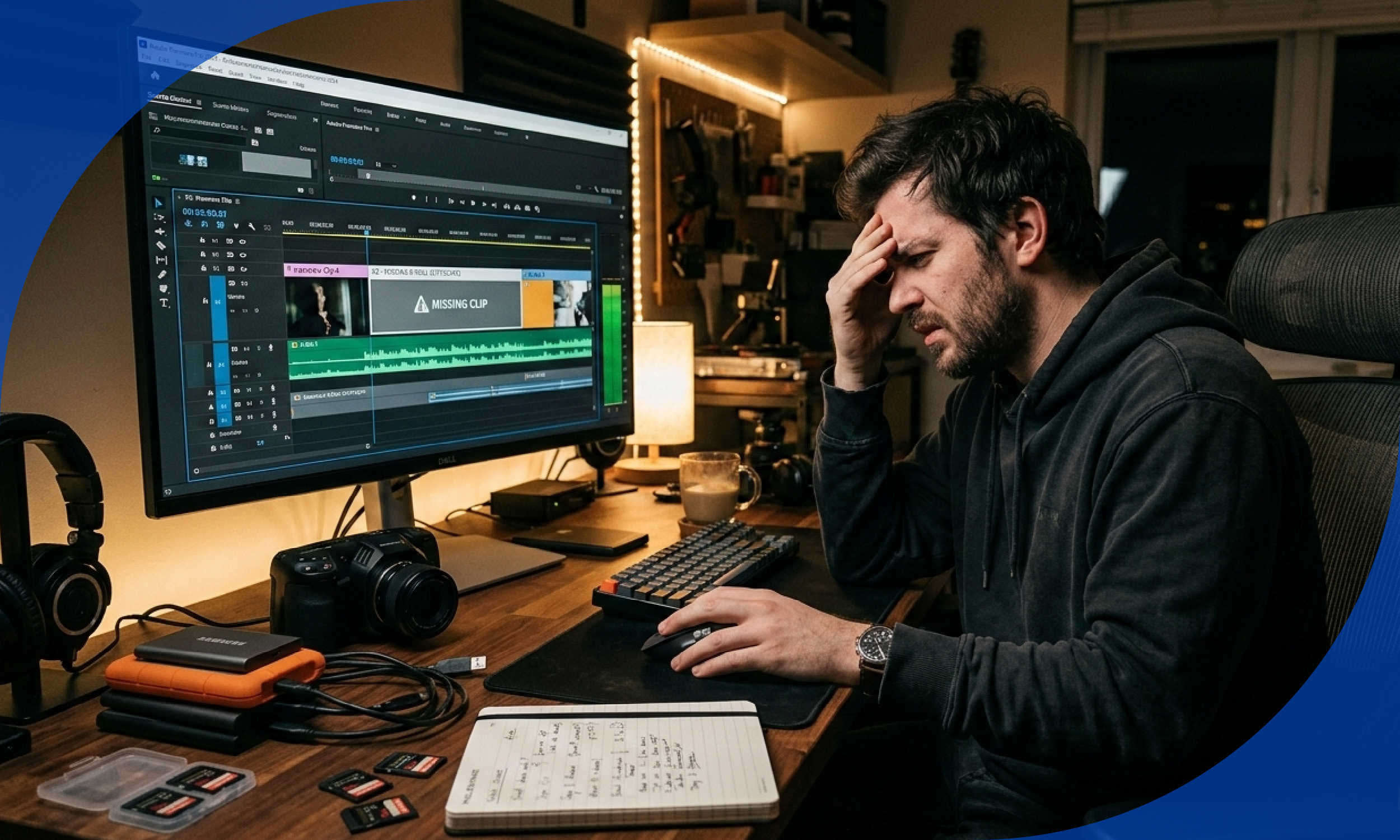
Great video content does not just depend on what you shoot. It depends on how well you can find, retrieve, and repurpose what you have already shot. This blog walks you through a complete system for organizing your B-roll footage so you always have the right clip at the right time.
What Is B-Roll and Why Does It Matter So Much?
B-roll is the supplementary footage that plays alongside your primary footage, also known as A-roll. While your A-roll is usually a talking head, interview, or on-camera presentation, B-roll is everything else. Think of someone typing on a keyboard while a voiceover explains a software product, or a chef chopping vegetables while the narrator describes the recipe.
B-roll does several critical things for your video:
- It breaks the visual monotony of a static talking head
- It reinforces what is being said with relevant visuals
- It covers jump cuts and editing transitions smoothly
- It dramatically raises the perceived production quality of your content
- It helps retain viewer attention, especially on platforms like YouTube, Instagram Reels, and TikTok
The problem most creators face is not a lack of B-roll. It is a lack of organized B-roll. Footage sits scattered across hard drives, unnamed folders, and old memory cards. When you need a specific clip, you spend more time hunting than editing.
Step 1: Build a Centralized Storage System Before You Shoot
The most powerful thing you can do for your B-roll library is to set up a storage system before you ever hit record. Think of it like building shelves before you buy books.
Choose Your Storage Medium
Start by deciding where your B-roll library will live:
- External SSDs offer fast transfer speeds and are ideal for active projects
- NAS (Network Attached Storage) drives work well for teams sharing footage remotely
- Cloud storage platforms like Google Drive, Dropbox, or Frame.io allow access from anywhere and serve as reliable backups
A professional recommendation is the 3-2-1 backup rule: keep three copies of your footage, on two different types of storage, with one copy stored offsite or in the cloud.
Create a Master Folder Architecture
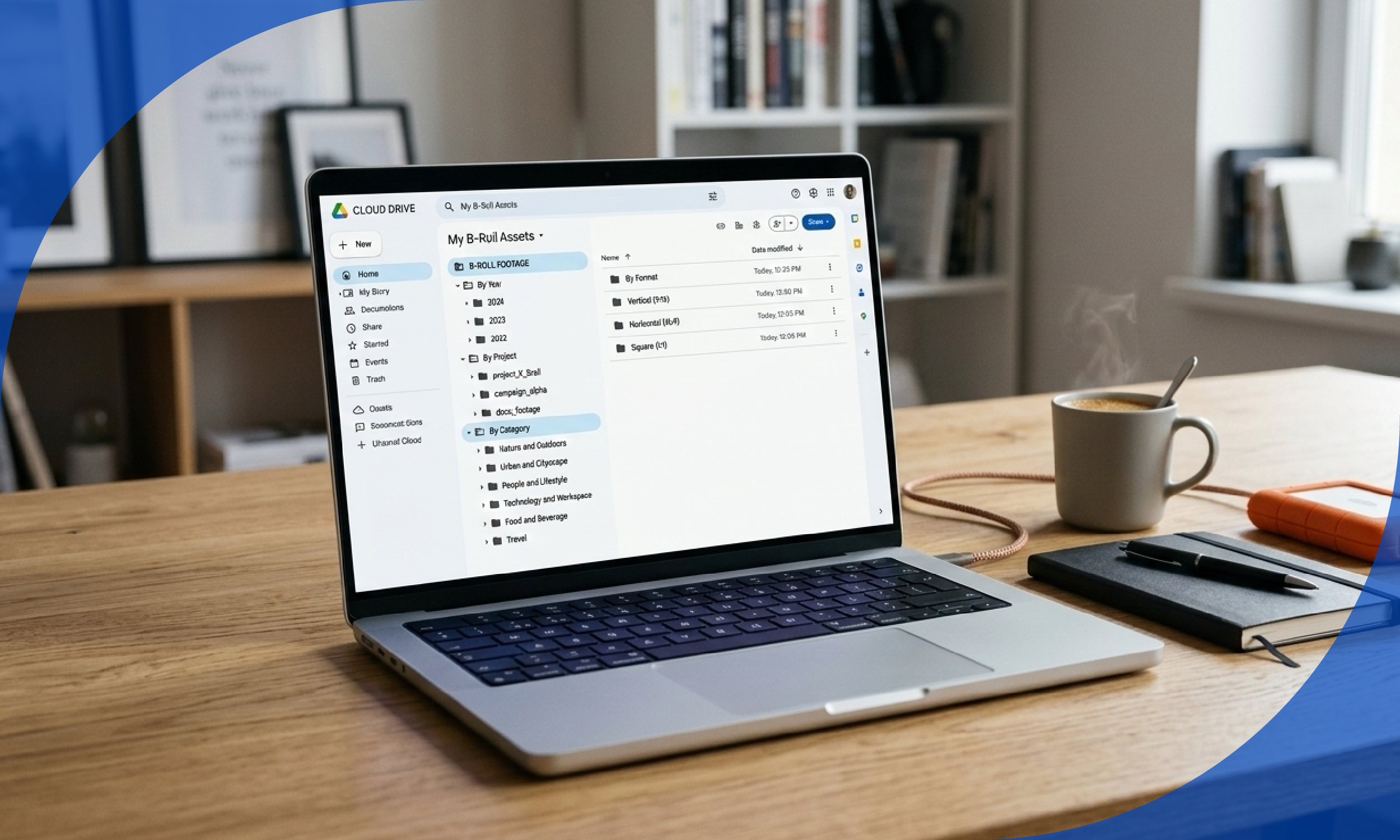
Your folder structure should mirror how your brain naturally searches for content. A simple and effective system looks like this:
B-ROLL FOOTAGE
-- ByYear
-- By Project
-- By Category
-- Nature and Outdoors
-- Urban and Cityscape
-- People and Lifestyle
-- Technology and Workspace
-- Food and Beverage
-- Travel
If you want you can also store by format
-- By Format
-- Vertical (9:16)
-- Horizontal (16:9)
-- Square (1:1)
This dual structure lets you search by subject matter when you are building a specific type of video, and by project when you are revisiting past work for repurposing.
Step 2: Rename Each Video File
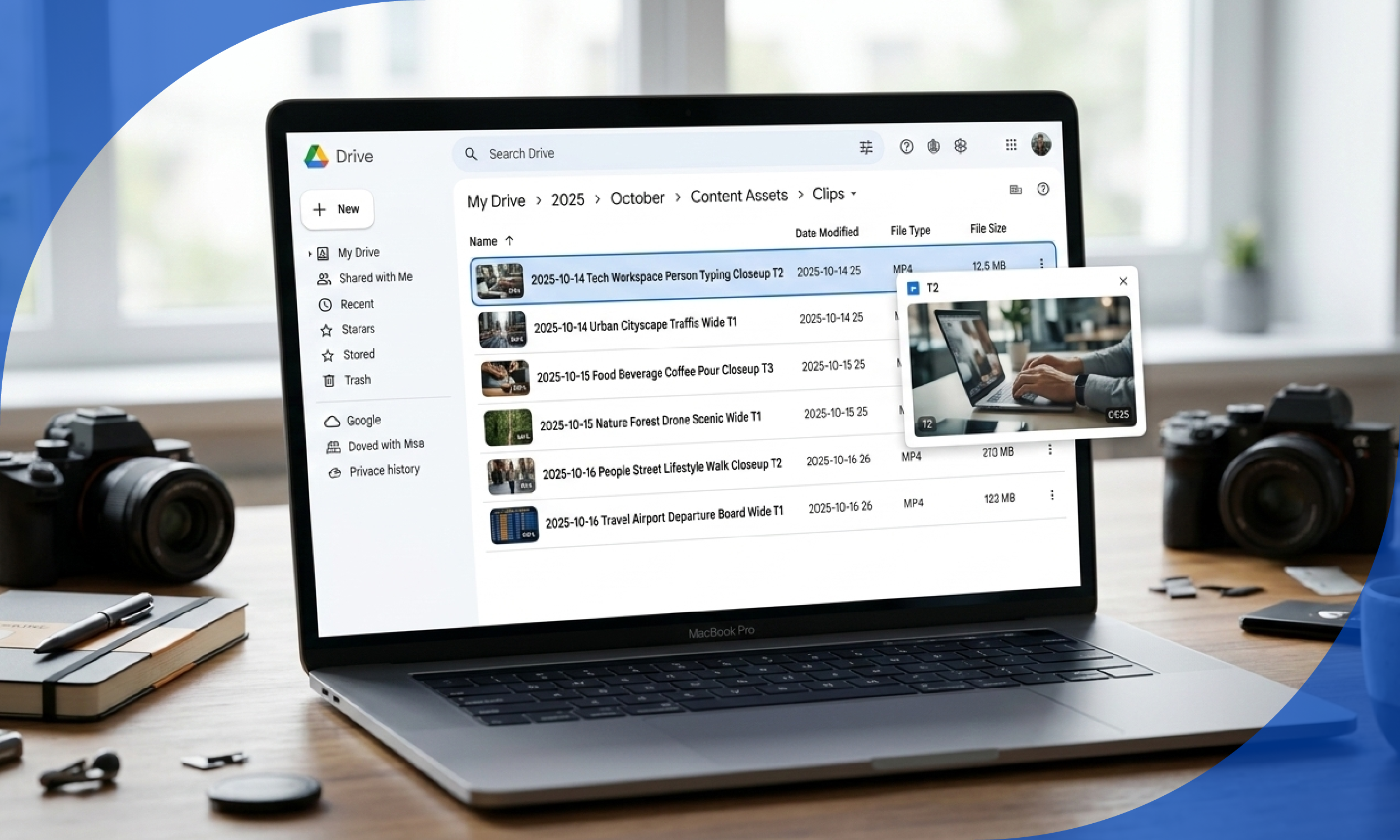
Random file names like "MVI_2048.mp4" or "clip_final_v3.mov" are career killers for video editors. A consistent naming files makes every clip instantly identifiable without previewing it.
A Naming Formula That Works
Use this structure:
[Date] [Category] [Description] [Shot Type] [Take Number]
Example: 2025-10-14 Tech Workspace Person Typing Closeup T2
Breaking it down:
- Date in YYYY-MM-DD format ensures files sort chronologically
- Category links to your folder structure
- Description gives a human-readable summary
- Shot Type tells you the framing (wide, mid, closeup, aerial)
- Take Number prevents overwriting and helps you identify the best version
Step 3: Create a B-Roll Shot List Habit While Filming
The best organized library in the world cannot save you if you are consistently shooting unfocused footage. Developing a shot list habit while filming ensures you are capturing coverage that is genuinely usable.
The Categories Every Shot List Should Cover
When planning or executing a shoot, capture at least one clip from each of these categories:
- Wide establishing shot: Shows the overall environment or scene
- Medium shot: Frames a person or object from the waist or mid-level up
- Closeup: Focuses on detail, hands, faces, products, or textures
- Over-the-shoulder: Creates depth and a feeling of involvement
- Action shot: Someone performing a task or movement
- Reaction shot: A facial expression or subtle moment of response
- Insert shot: An extreme closeup of a specific object or action
- Environmental detail: Background elements that convey setting and mood
Covering all eight categories during every shoot guarantees you will always have editing options when you sit down to cut.
The "Shoot 10x More Than You Think You Need" Rule
Professional videographers shoot a ratio of anywhere from 10:1 to 20:1, meaning for every one minute of final video, they capture ten to twenty minutes of raw footage. For most content creators, a 5:1 ratio is a solid starting point. This sounds excessive until the first time you are saved from a bad day's edit by a clip you almost did not shoot.
Step 4: Build a "Ready-to-Use" Repurposing Vault
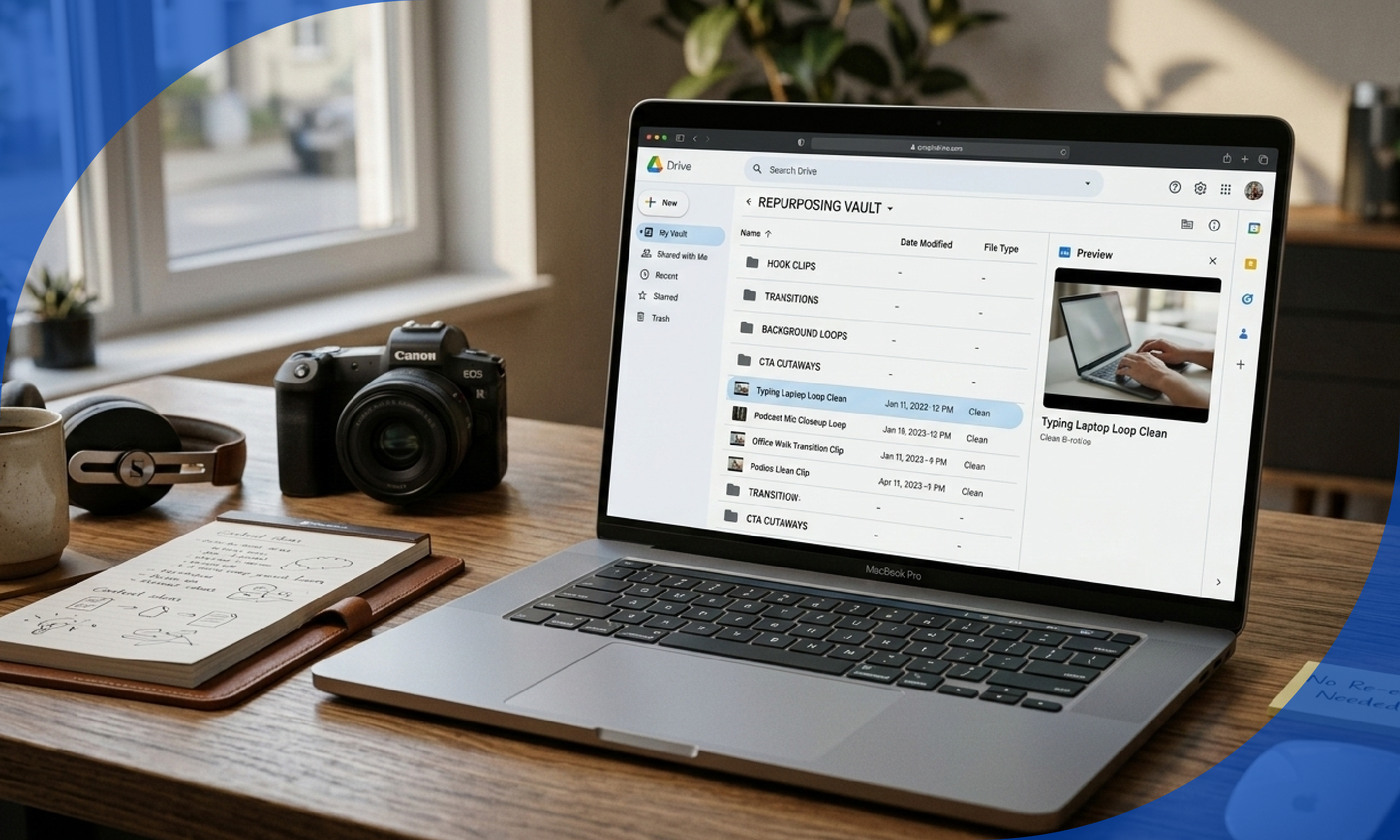
Beyond organizing raw footage, the most content-efficient creators maintain what is often called a repurposing vault, a secondary collection of pre-approved, pre-cut B-roll segments that are ready to drop into any project without re-editing.
How to Build Your Repurposing Vault
After completing each video project, go back through your edited timeline and export standalone B-roll segments that:
- Are between 3 and 15 seconds long
- Have no lower thirds, graphics, or overlaid text
- Are color-graded to a neutral baseline
- Cover common topics relevant to your niche
Store these in a dedicated folder labeled "Repurposing Vault" with sub-folders by topic. When you are producing a new video and need footage fast, this vault is your first stop.
Why This Changes Everything
Content creators who maintain a repurposing vault can produce videos 40 to 60 percent faster because they spend less time shooting and re-editing. They also achieve greater visual consistency across their content library, which strengthens brand recognition.
Step 5: Create a Monthly B-Roll Collection Day
The single biggest reason creators run out of B-roll is that they only shoot it when they are also shooting their main content. Separating B-roll collection from primary shoots is a game-changer.
What a B-Roll Day Looks Like
Set aside two to four hours once a month specifically for capturing B-roll with no other agenda. During this time:
- Walk through locations relevant to your niche with a camera
- Shoot everyday objects, environments, and actions from multiple angles
- Capture seasonal or timely content like weather, holidays, or local events
- Experiment with different shooting styles including handheld, tripod, slider, and gimbal shots
Over 12 months, even modest monthly shoots add up to a rich library of hundreds of usable clips that span every season and subject matter relevant to your content.
Batch Shooting Themes
Plan your monthly collection days around a theme. Examples for different niches include:
- A productivity YouTuber: home office setups, laptop screens, notebooks, coffee cups
- A fitness creator: gym equipment, outdoor running paths, healthy food prep
- A travel blogger: airports, hotel rooms, local streets and markets
- A business coach: meeting rooms, whiteboards, handshakes, presentations
Shooting thematically fills specific gaps in your library rather than producing more of what you already have plenty of.
Step 6: Document Your B-Roll Storage System So It Scales
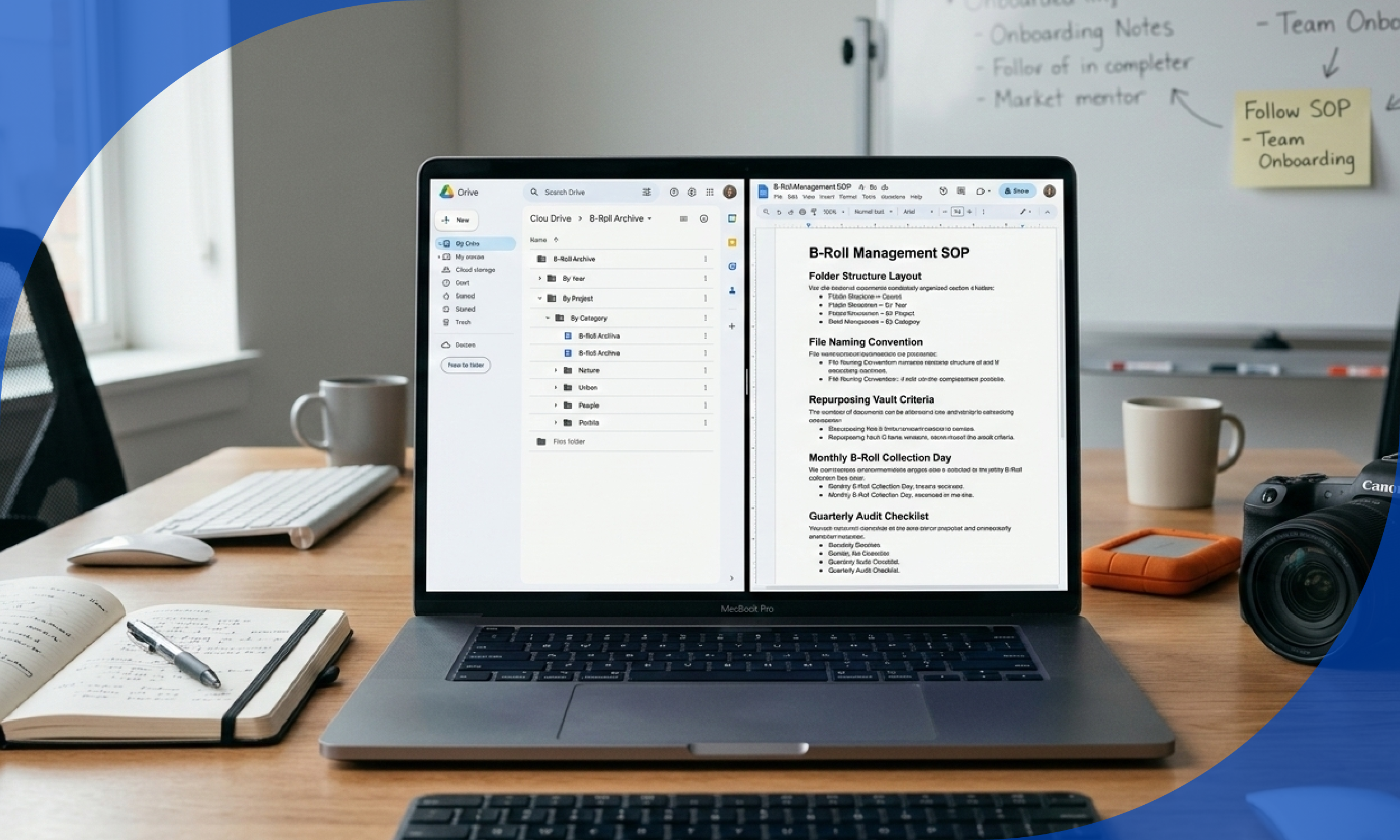
If you ever bring on an editor, an assistant, or a collaborator, an undocumented system dies immediately. Every organizational habit you build should be written down in a simple standard operating procedure (SOP).
- Folder structure layout with examples
- File naming convention formula with a sample
- Create a B-Roll Shot List Habit While Filming
- Repurposing vault criteria
- Create a Monthly B-Roll Collection Day
- Conduct a Quarterly B-Roll Audit
A one-page SOP document stored in your shared drive ensures that anyone who touches your footage library follows the same system, keeping everything consistent no matter who is doing the work.
Common B-Roll Mistakes to Avoid
Even experienced creators fall into these traps. Watch out for:
- Shooting only when convenient: B-roll requires intentional, scheduled effort to accumulate meaningfully
- Ignoring vertical formats: Horizontal-only libraries limit your ability to repurpose content for short-form platforms
- Never reviewing old footage: Clips from years ago are often gold for evergreen content
- Using only wide shots: Close-ups and inserts create cinematic depth that wide shots alone cannot achieve
- Skipping the backup: Losing a B-roll library to a drive failure after years of collection is genuinely devastating
- Over-collecting in one niche: Diversity in your library makes your content more versatile and visually interesting
Your B-Roll Library Is a Long-Term Asset
Think of your B-roll library the way a photographer thinks of their stock photo catalog or a musician thinks of their sample pack collection. Every clip you shoot, tag, and store properly is an asset that compounds in value over time. The creator who spends 30 minutes organizing footage today saves 5 hours of searching over the next 12 months.
Start with the folder structure. Build the naming convention. Tag consistently. Conduct your monthly collection day. Do the quarterly audit. Within six months, you will have a B-roll library so well-organized that you never stare at an empty timeline again wondering what to cut to next.
The creators who consistently produce the most compelling video content are not the ones with the most expensive cameras. They are the ones who have built systems that make their existing footage endlessly accessible and reusable.
Now go build that library.